
Adobe Target Batch File
Adobe Target offers the ability to upload your offline visitor data into Adobe Target for rules-based personalization or for solutions like Automated Personalization to make model-based content decisions.
Adobe Target offers the ability to upload your offline visitor data into Adobe Target for rules-based personalization or for solutions like Automated Personalization to make model-based content decisions.
Adobe Target allows you to target audiences that are not in other tests. But what happens if two activities are running at the exact location? What will Target do?
This video answers that and explains how you can manage things differently.

This video demonstrates how easy it is to get data from Local Storage to Adobe Target for audience creation and to target.
Spoiler Alert: This video shows how to see today’s Wordle answer, so please don’t watch it if you don’t want to see it.
This video will maybe help those Adobe Target users with debugging or validating the Geo-Targeting capabilities within Adobe Target. We wrote this blog post some time ago that allows users to see what Adobe Target Geo meta-data is mapped to your IP address and that has generated many inquiries to us and we hope this video helps with that.
Blog Post: https://www.miaprova.com/blog/adobe-target-geo-targeting/
Debugging Example URL (remember to go incognito or clear cookies to spoof your IP address): https://www.miaprova.com/blog/adobe-target-geo-targeting/?mboxOverride.browserIp=149.142.201.252
A well-rounded testing program not only requires innovative strategy and flawless execution, but also solid reporting and documentation of learning.
Many testing teams find the reporting and documentation work time-consuming, manual and repetitive.
MiaProva leverages your existing testing solution’s data integration APIs and automates significant amount of testing reports.
Your business partners often want on-demand updates of how their tests are doing, as well as transparency around where their tests are in the global prioritization queue. In an increasingly AI-driven, Alexa/Siri smart home world, they do not necessarily want to log in a tool to read dashboards.
MiaProva’s intelligent Mobile App takes a humanized Q&A approach to directly answer some most key test questions that end users might have. Instead of having to find answers in complex dashboards, business stakeholders can simply ask MiaProva’s smart app questions such as ‘how is my test doing’, either through voice interaction or click-n-see.
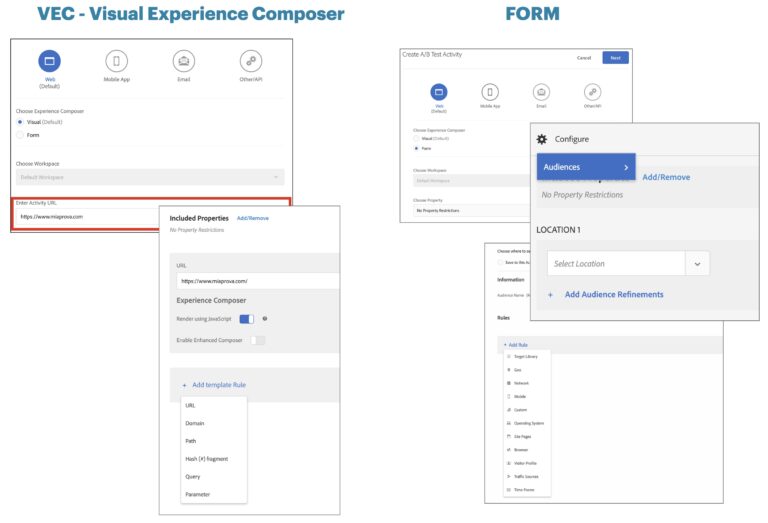
Over the years, we have gotten many requests from customers asking for clarity around how best to use Adobe Target Audiences and Locations when setting up Activities via the Visual Experience Composer (VEC) or Form-based creation. This video will share best practices and explain how best to leverage the functionality.