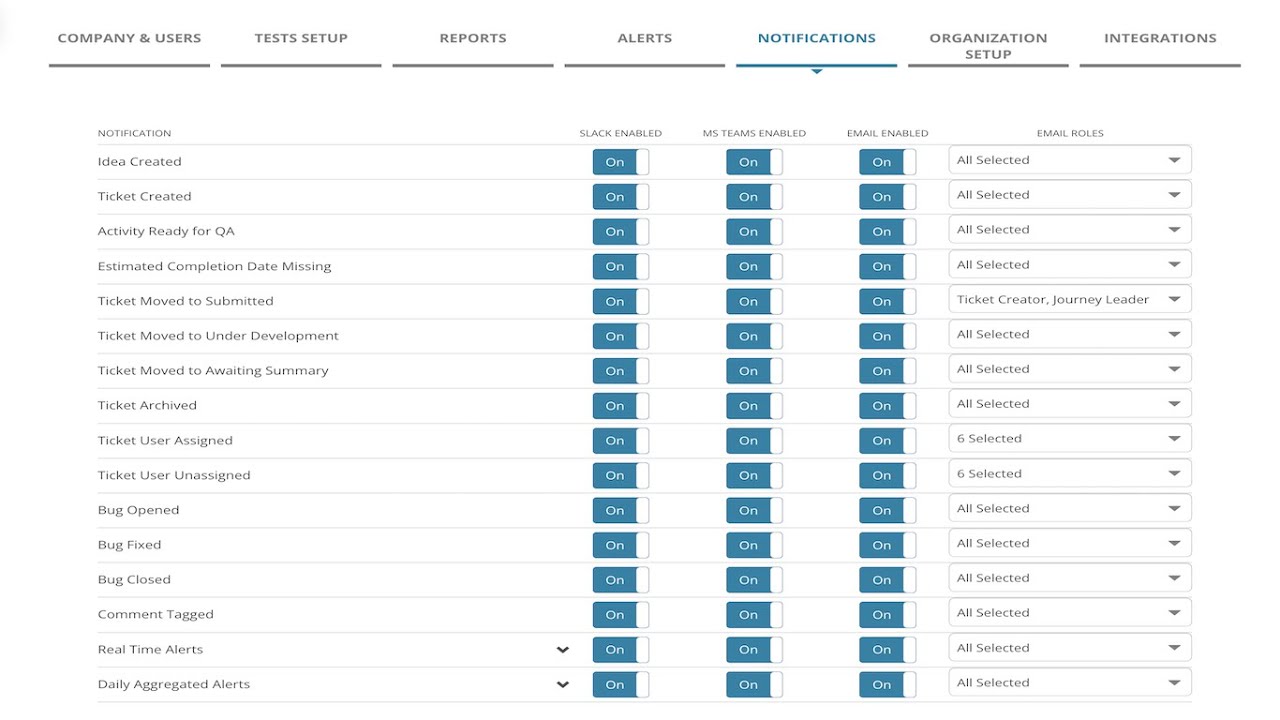
MiaProva has delivered considerable value for organizations through our notifications as events happen in MiaProva and when there are issues related to their Activities that are Live in Adobe Target.
We’ve now expanded on that ability to Microsoft Teams. Now, organizations can update one of their Teams to get a real-time feed when a new Activity is submitted or archived, a negative lift with confidence has been seen, a sample ration mismatch has been detected, or any other of the many events that MiaProva monitors.
The video discusses the integration of MiaProva with Microsoft Teams, which allows for notifications related to workflow and performance events in MiaProva to be sent to Teams. The notifications can be configured based on roles within MiaProva and can also be sent to Slack. The integration is straightforward and notifications appear in a separate channel within Teams. The video provides examples of the types of alerts that can be configured and how they appear in Teams. A daily aggregated alert is also provided. Viewers are encouraged to ask questions if they have any.
Transcript: (00:00) this is a quick video outlining the integration Mia Prova provides with Microsoft teams so those of you familiar with Mia Prova are aware of all the notifications that we provide via email via slack and now via Microsoft teams so these are a combination of workflow related events like if an activity is ready for QA if a ticket is being archived if there’s been a bug you know things along those lines a typical workflow for a test or personalization activity being configured and we also provide performance related uh (00:37) notifications as well when the code has been changed in Adobe Target the kpi metric is above or below the threshold and we also send out a daily aggregated alert as well and so these can be configured by roles within miaprova but also they can be sent along to slack and Microsoft teams the integration to teams is very straightforward it’s available within this part you would get this information from the documentation that your Mia Prova account would provide and what that would look like within Microsoft (01:11) teams is exactly like this so you’d have a your whatever teams that you’re using today there’d be a kind of Channel within it and you whatever alerts or notifications you configured within your Mia Pro account would flow right in here you can see some alerts related to sample ratio mismatch you can see here that’s missing an estimated to have completion date all related to whatever you configured for your particular account so you’ll also get a daily aggregated alert with everything that’s (01:43) going on across the activities that are live but here you can see performance related alerts where you could see that no success events in the last 12 hours and things like this and these are always very these are specific to the journey that was configured within Mia Provo so if there’s any questions please let us know
MiaProva enables organizations to quickly and easily highlight the direct impact tests are making on organizational goals. Users of MiaProva can also make use of a wide array of strategic filters to make test review and communication seamless.
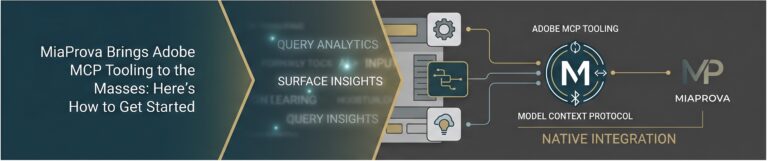
Adobe’s Model Context Protocol (MCP) tooling represents a meaningful shift in how practitioners can interact with Adobe Experience Cloud products, enabling them to query data, surface insights, and drive workflows through natural language and AI-native interfaces. At MiaProva, we’ve been tracking this closely, and we’re excited to share that we’ve now built native support for…
Testing demands very strong cross functional collaboration in any organization, and testing managers often need to manage complex dependencies and varying timelines from different internal teams involved.
MiaProva is the industry first, streamlined workflow management tool developed by and for testing professionals!
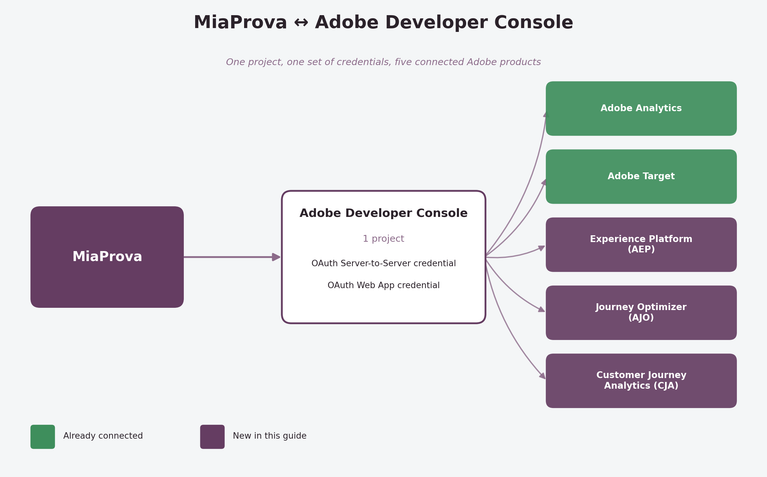
A quick guide for MiaProva customers extending their existing Adobe Developer Console project If MiaProva has been running against your Adobe Analytics and Target data for a while, you already have most of the plumbing in place. Good news: you don’t need a new project, a new organization, or a new integration to bring Adobe…
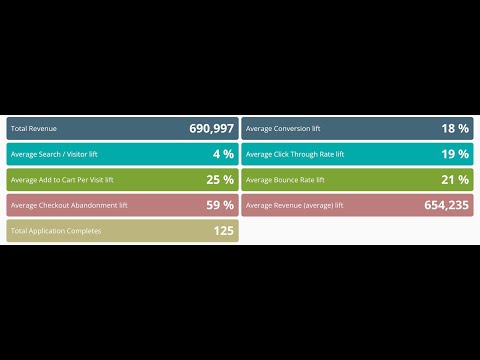
When organizations start using MiaProva, they are asked to define Program metrics for Program Visibility. MiaProva will automatically manage the calculations behind each metric with each Activity archived and added to the Program Overview.
This quick video highlight what some of our financial customers are doing with the metric of Application Completes.
Many times, business owners request a test to be run at a site location with low traffic, not realizing how crucial sufficient sample size is for effectively detecting the difference between test and control.
Also for many organizations that do not have very large volume of traffic, there often is the need to run multiple tests on the same page, making it crucial for everyone to understand how other tests might impact the one that you’re trying to run. In addition, as part of industry competitive research, many business users wants to know if their competitor sites are already testing certain features.
MiaProva offers a list of tools that easily help with your business users to research and plan for their test prior to them even coming to requesting it.