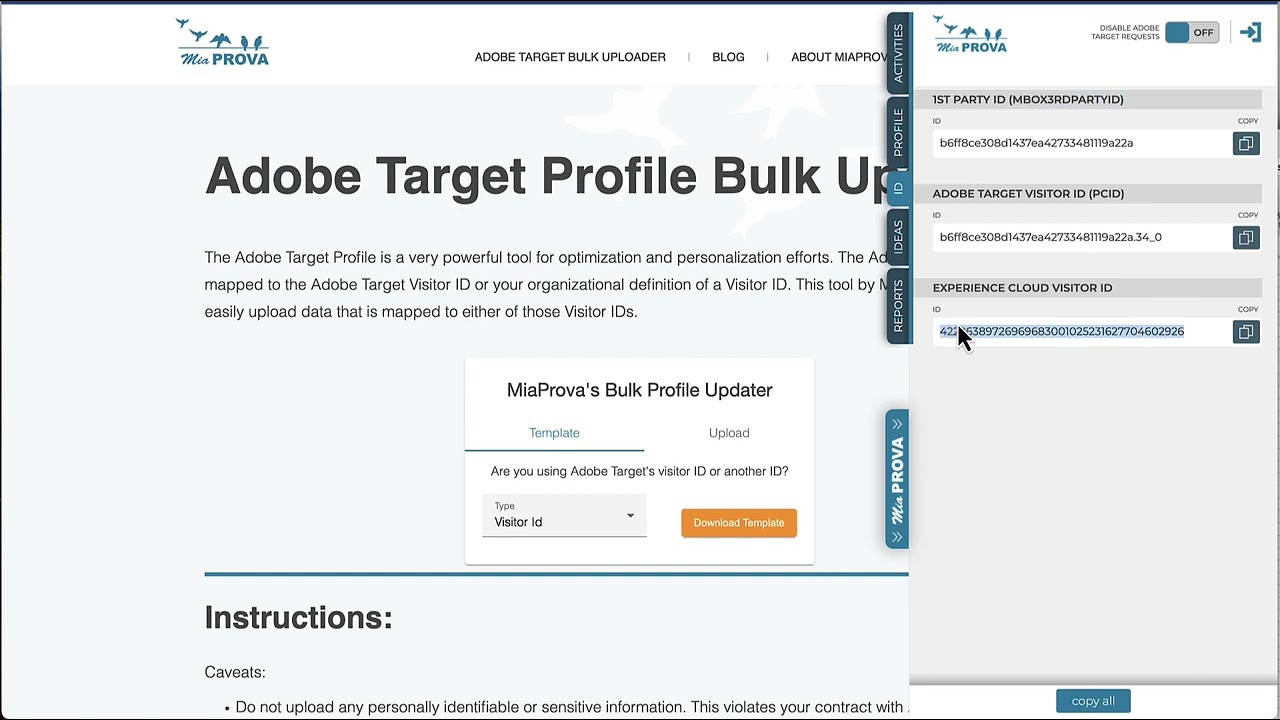
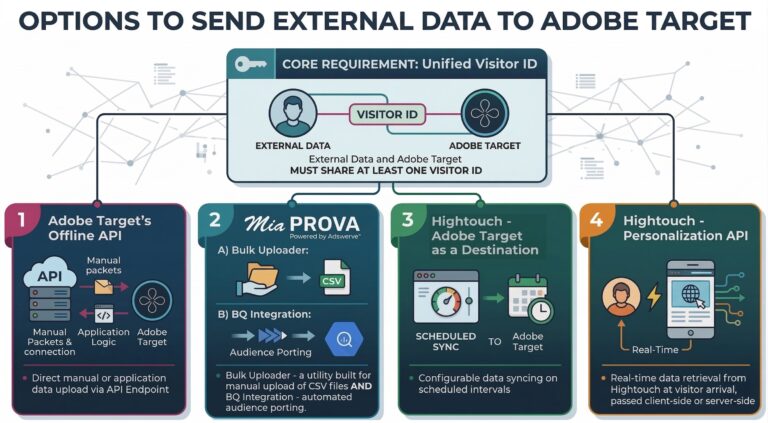
I have question around the bulk upload and if we can use the experience cloud visitor Id instead of the target visitor Id or first party id(another Id)?
Gen AI outline of video:
The transcript discusses an email received regarding a free utility created by the MiaProva team for the Adobe Target Community.
The email in question asks if the Experience Cloud visitor ID can be used instead of the target visitor ID or first-party ID for bulk uploads, and the answer is yes, it can.
The transcript encourages using the first-party ID for various reasons but acknowledges that the Experience Cloud ID can be a suitable backup.
It mentions a Chrome extension and utility for Adobe Target’s visitor ID and demonstrates how the Adobe Target ID can be passed as an Mbox third-party ID.
The transcript explains that there are two templates provided by Mopo for uploading data, one for Adobe Target IDs and another for first-party IDs or Adobe’s Experience Cloud ID. It describes the process of using these templates to upload data.
00:01 so we got this email last night um regarding a free utility that the mova team built and provided for free uh for the Adobe Target Community it’s a pretty powerful tool it it highlights a lot of the cool capabilities that Target has based off of visitors visitor IDs and and getting data to uh Adobe Target for your system and so uh this email came in um so love the comment love the blog thank you for the feedback um so his question is about the the bulk upload if we can use the experience Cloud visitor ID instead of the target visitor ID or 00:41 first party ID so the answer is yes um absolutely you can and I’ll show you how so I would recommend strongly strongly encourage to use the first party ID for for many many reasons Adobe does a fantastic job of giving you the target ID the experienced Cloud ID uh but that’s you know when you think about all the data that you have that’s mapped to your first party ID and if you’re able to pass that first party ID across multiple devices and browsers um that’s the way to go the first party uh ID 100% all the way to do 01:19 that but if you don’t have a first-party ID and I’ve got several major Enterprise companies that are working and trying to figure out how to get a first-party ID aligned the program around it uh so yeah the experience Cloud Ed is a a very nice backup and I’m actually doing something very similar uh on the on my website so uh if you go to our mob. 01:40 com the Adobe Target bulk upload this is what the question’s about um I’m actually here’s the Chrome extension another utility if you’re not familiar with it um Adobe Target provides their visitor ID uh Adobe is part of the visitor uh ID service which is how a for T Works provides the experienc Cloud visitor ID uh first party ID is something the organization would typically provide um you can see here you notice something it’s the same ID so just to demonstrate this and and not to Generate random numbers and and and and different values 02:18 we don’t have I I don’t want to expose any of our first party visitor IDs as part of the application on the public website and so what I did here is I just grabbed the Adobe Target ID and I’m passing it as the Mbox third party ID here um and so you can do the exact same thing so this ID The Experience Cloud ID that’s available um can certainly be passed it’s already being passed along to Target but you could pass it along again as an nbox third party ID and if you check out our blog and do a search 02:48 for Mbox third party ID you can kind of see um how that would work and how you would get that uh third party ID there’s there you go here’s how you can kind of see how to go about implementing it that sort of thing within here um but uh related to this question here so mopo provides two templates if you’re uploading data from targets ID Adobe targets ID which again is the PC ID you see here you would download this template if you’re going to use another ID which is going to be uh the first party ID or you could be using adobe’s 03:27 experienced Cloud ID as the first party ID you would download that template there once you download the templates and I’ll actually show you what this looks like uh this is the first party ID template so you would have a list of all of your IDs like 1 2 3 4 5 so this would be all of the IDS that you would have that you want to get data in and so you can have different parameter value pairs you can see here um all the way down for each uh each row paste them in and go to town so you simply save this um and then 04:04 upload it within here provide your a client ID and then immediately all of those different attributes are going to be available for you to Target to uh the same concept goes for the a third party idid so this is actually would be uh the first party ID this would be the PCI ID where you have the Adobe Target PC IDs available uh let’s say within here so I’m going to copy this value and paste it in there so you can see that and Simply Save it and upload it to there and you’re all set so good question if 04:35 there’s any more I’m glad you like the the videos and blogs I wish we had more time to do more content out there but Friday afternoon thought I’d get this quick one out there so anyways thanks again
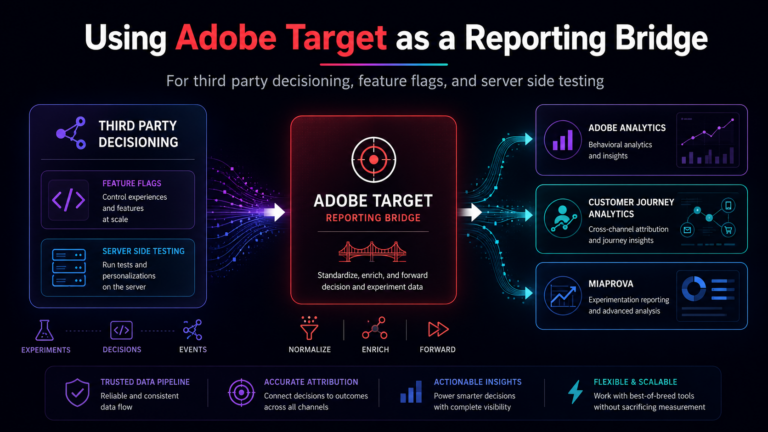
One of the harder parts of experimentation reporting is not the decisioning itself. It is getting the decisioning data into the reporting layer in a way that survives real world complexity. A MiaProva customer recently ran into this exact issue. They had recently added a third-party content decisioning and feature flagging platform to their stack….
Adobe I/O is Adobe’s developer ecosystem where Adobe makes available its APIs for all of its many products. MiaProva makes very strategic use of the APIs for both Adobe Target as well as Adobe Analytics within Adobe I/O. Adobe I/O allows MiaProva to manage any and all Activities and Activity Types as well as Recommendations….
If you’ve spent any time in Adobe Target, you’ve probably hit the same ceiling I have: you can build great experiences with on-site behavior, a few profile attributes, and some Analytics segments… but your best customer context usually lives somewhere else. For a lot of orgs, that “somewhere else” is the data warehouse (BigQuery, Snowflake,…
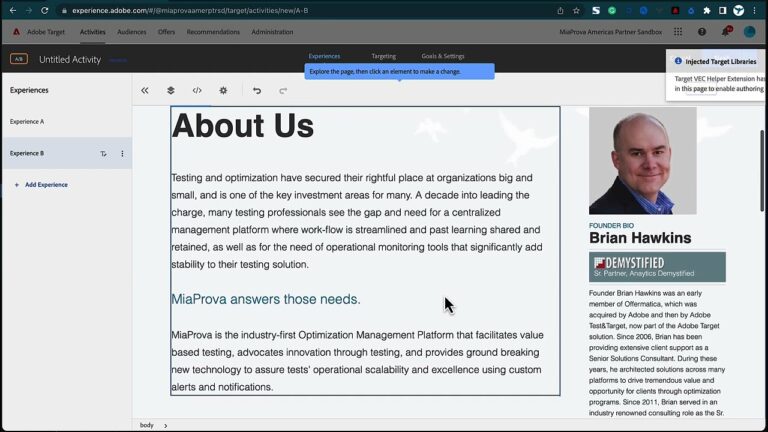
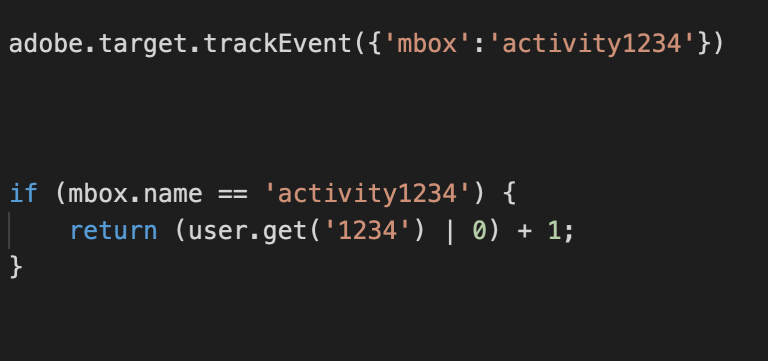
Many optimization programs find themselves having a requirement to limit the number of times an offer from Adobe Target gets shown to visitors. The offer could be anything really but this type of ‘offer capping’ is usually applied to overlays or modals of some sort. Organizations would like to have the offer displayed two or…