What Every A4T Dimension in Adobe Analytics Actually Represents
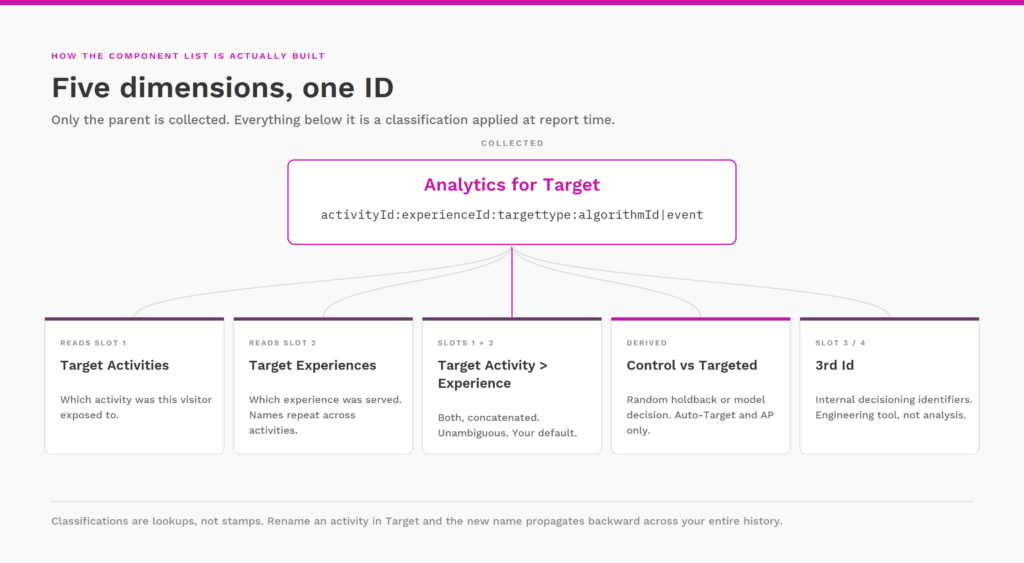
Turn on Analytics for Target and a small cluster of dimensions shows up in your component list. Most practitioners drag “Target Activity > Experience” into a freeform table, get the numbers they need, and never look at the rest. That works right up until a report looks wrong, and then the answer is almost always sitting in the plumbing underneath these dimensions.
Here is what each one is, what data it actually carries, and when it matters.
The parent: Analytics for Target
Start here, because everything else in the list is derived from this one.
“Analytics for Target” is the raw concatenated ID string that Target passes to Analytics on the server-to-server call it makes when a visitor sees activity content. No extra beacon fires on the page for this. Target hands Analytics the activity and experience information out of band, stitched to the page hit by the supplemental data ID.
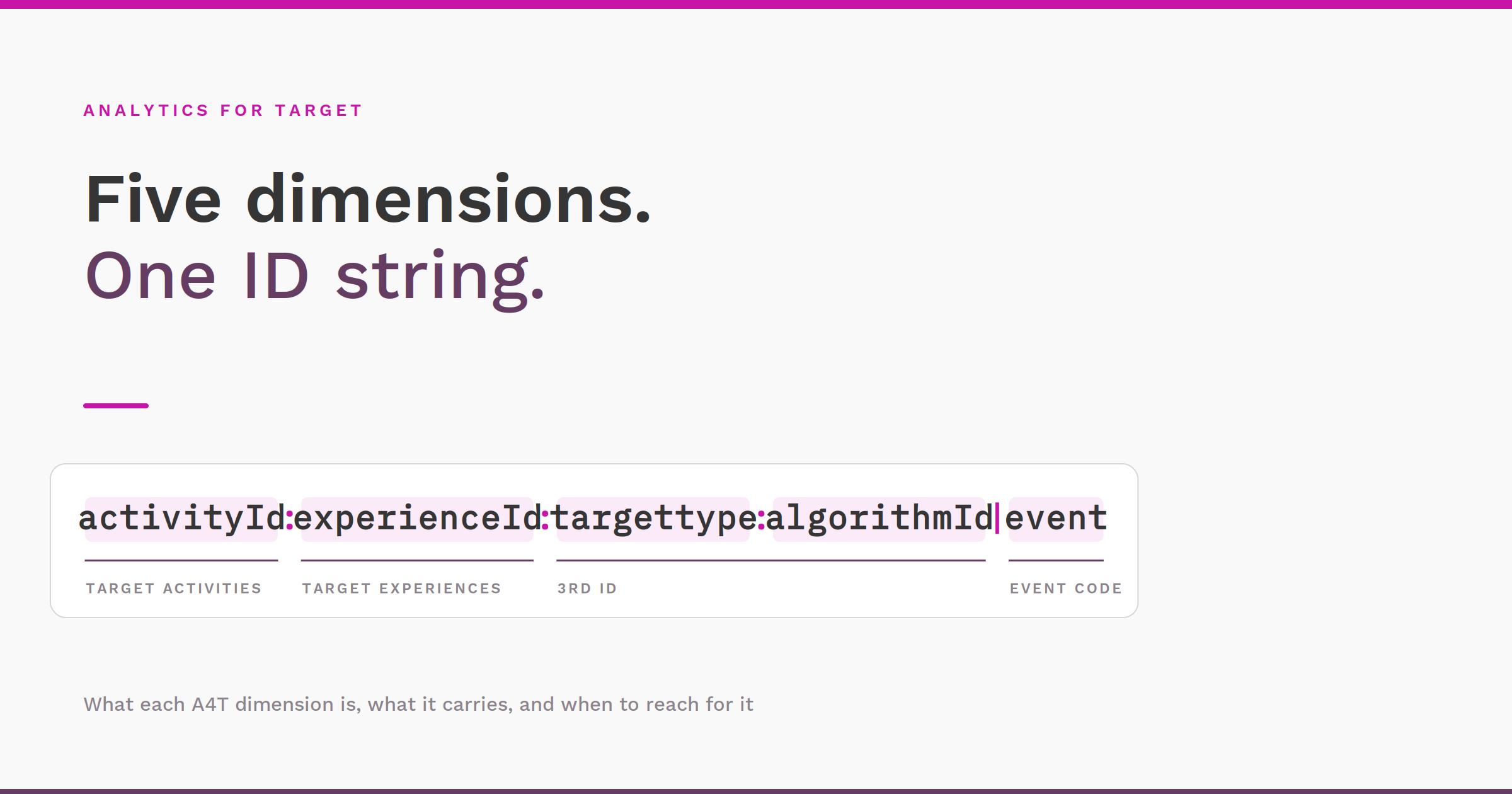
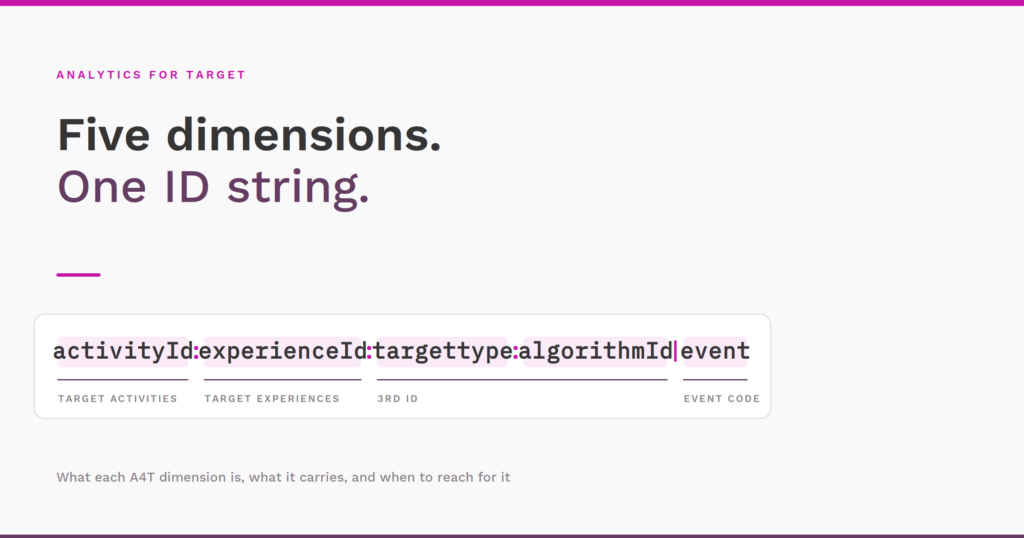
Adobe documents the format as Activity ID:Experience ID:3rd ID. If you go one layer deeper into the classification and clickstream documentation, the full string looks like this:
For A/B Test and Experience Targeting activities:
activityID:experienceID:targettype|eventFor Auto-Allocate and Auto-Target activities:
activityId:experienceId:targettype:algorithmId|event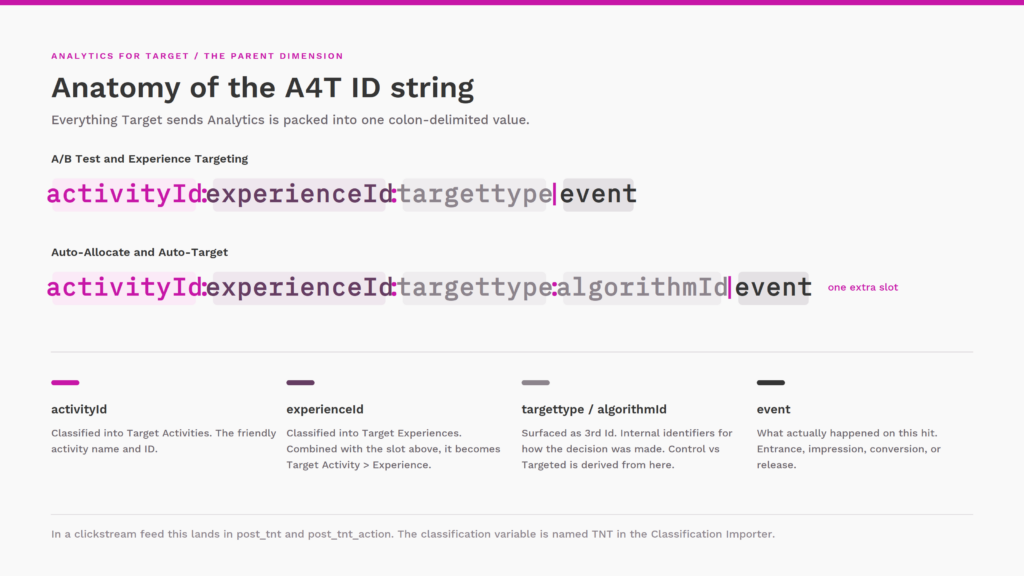
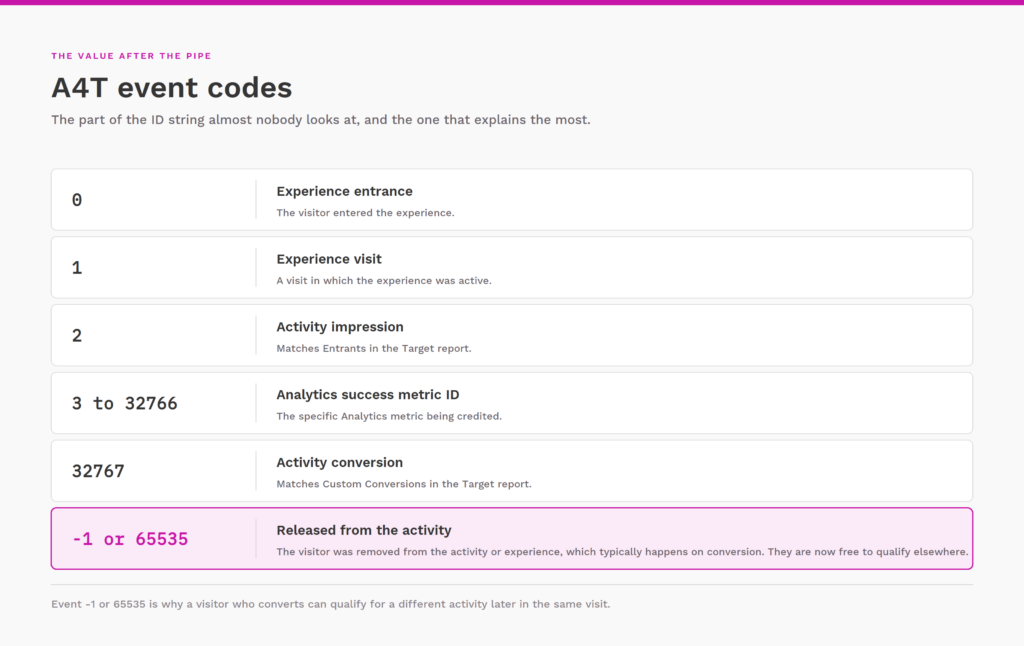
The value after the pipe is the event code, and it is the part almost nobody knows about:
0is an experience entrance1is an experience visit2is an activity impression3through32766is an Analytics success metric ID32767is an activity conversion-1or65535means the visitor was released from the activity or experience, which typically happens on conversion so the visitor is free to qualify elsewhere
In a clickstream data feed this lives in the post_tnt and post_tnt_action columns, and the classification variable is called “TNT” in the Classification Importer. If you have ever wondered why the A4T dimensions feel different from a normal eVar, this is why. They are not eVars. They are classifications of a Target-owned ID string.
Practical use for the parent dimension: debugging. When friendly names have not populated yet, when you are validating a fresh activity, or when you are reconciling a data feed against Workspace, the parent is the only dimension that shows you the truth without the classification layer in the way.
Target Activities
This is a classification of the parent that returns the friendly activity name paired with its activity ID. It answers the question “which activity was this visitor exposed to.”
Two things worth knowing. First, because it is a classification, the name you see is applied at report time from a lookup table, not stamped at collection time. Rename an activity in Target and the new name propagates backward across your entire history. That is usually a feature and occasionally a nasty surprise when someone renames an activity mid-flight and your saved projects suddenly reference something that no longer matches your documentation.
Second, this is your portfolio dimension. If you want to answer program-level questions like how many activities ran last quarter, how much traffic they collectively touched, or which properties are actually being tested, Target Activities is where you start.
Target Experiences
Same idea, one level down. Friendly experience name and ID, representing the specific experience a visitor was served.
The trap here is that experience names are not unique across activities. Every activity in your account probably has an experience called “Control.” Pull Target Experiences on its own across a date range with a dozen live activities and you get a row labeled “Control” that is silently blending traffic from all of them. The IDs differ, so the rows technically separate, but the display names make it very easy to misread.
Use this dimension when you have already scoped to a single activity, either through a segment or by breaking it down under Target Activities. Note also that Confidence in the standard A4T panel is locked to Target Experiences. You cannot break Confidence down by another dimension or reuse it elsewhere.
Target Activity > Experience
The concatenation of the two above, in a single dimension value. This is the workhorse and it should be your default.
It exists specifically to solve the ambiguity problem. One row per activity-experience pair, no scoping required, no accidental blending of control groups. If you are building a reusable Workspace project that spans multiple activities, this is the dimension you build it on.
Control vs Targeted
This one confuses people because it is often empty, and empty looks broken.
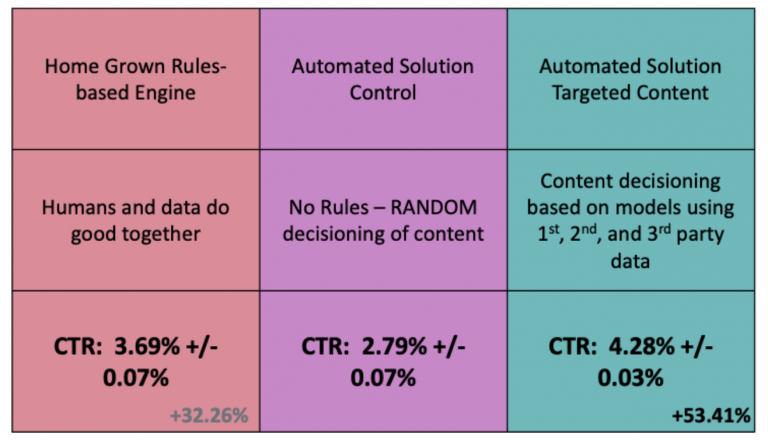
Control vs Targeted only populates for personalization activities, meaning Auto-Target and Automated Personalization. In those activity types Target holds back a percentage of traffic as a random control group and lets the ensemble model decide for everyone else. This dimension splits your data along exactly that line: Control is the randomized holdback, Targeted is everything the algorithm chose.
If you are running a manual A/B test or an XT activity, there is no algorithm making a decision, so there is nothing for this dimension to classify. Blank is the correct answer.
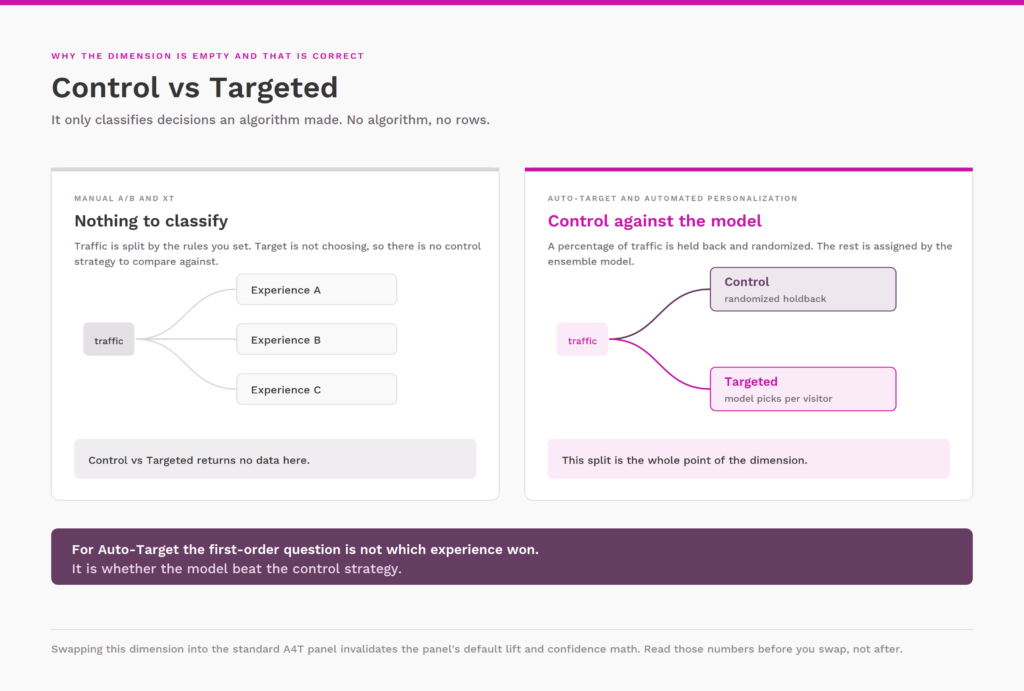
Where it earns its keep is Auto-Target analysis, and this is the part most teams get wrong. The default A4T panel is built for experimentation, where you compare individual experiences against a control experience. For Auto-Target, that is the wrong first-order question. You are not asking which experience won. You are asking whether the model beat the control strategy. Adobe’s own guidance is to swap Target Experiences out of the panel and drop Control vs Targeted in its place, with two consequences worth flagging. Replacing the dimension invalidates the panel’s default lift and confidence calculations, so do not read those numbers afterward. And when you do break performance down to the experience level, use Visits as the normalizing metric rather than the default counting, because that is closer to what the model was trained against.
3rd Id
Adobe’s documentation says this one can be ignored, and for the overwhelming majority of Workspace analysis that is honest advice.
What it represents is the third slot of the parent ID string, which is the targettype value, plus the algorithm ID for Auto-Allocate and Auto-Target activities. Adobe treats these as internal identifiers. They tell you what kind of decisioning produced the row rather than anything about the visitor or the outcome. High cardinality, no business meaning, no reason to put it in a stakeholder report.
It is not useless, though. If you are working with clickstream data, reverse-engineering how a specific activity type is being logged, or trying to explain why two activities that look identical in the UI produce differently shaped TNT strings, 3rd Id is the dimension that shows you the difference. Treat it as an engineering tool, not an analysis dimension.
The two metrics that come with them
Worth stating alongside the dimensions, because they are what makes the numbers reconcile.
Activity Impressions matches the Entrants number in the Target report. Activity Conversions matches Custom Conversions in the Target report. When someone tells you Target and Analytics disagree, those two pairings are the first thing to check, and the disagreement is usually a counting methodology difference rather than a data collection failure.
Three things that will save you a support ticket
Classifications take time. For a freshly saved A4T activity, expect up to 24 hours before data can be broken down by experience. The data collected during that window is accurate and correctly assigned. It just has not been classified yet. Do not go looking for a bug on day one.
Permissions are gated at the parent. If the “Analytics for Target” dimension permission has not been granted to a product profile, none of the child dimensions appear for those users. This is the actual cause of most “the A4T dimensions are missing for my team” reports.
The dimensions describe exposure, not intent. Every one of these values means Target made a decision and told Analytics about it. They do not tell you the visitor scrolled to the offer, saw it, or had any chance to act on it. That gap is on you to close with the rest of your Analytics implementation.
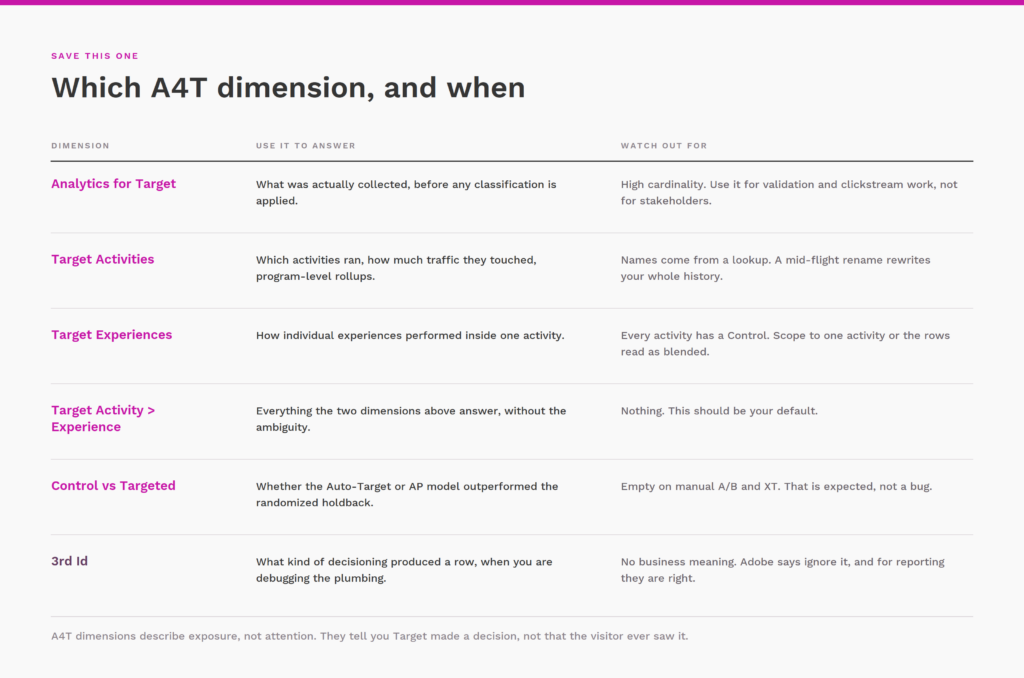
The short version
Analytics for Target is the raw ID. Target Activities, Target Experiences, Target Activity > Experience, Control vs Targeted, and 3rd Id are all classifications of it. Build on Target Activity > Experience by default, reach for Control vs Targeted the moment an Auto-Target or AP activity is in play, and go back to the parent when you need to know what actually got collected.