Introducing Audience Collections and Favorites in MiaProva
MiaProva now lets every team organize Adobe Real-Time CDP audiences into Audience Collections, and lets every user keep a personal shortlist with Favorites. Both live on the AEP Audiences page, right next to the health and SLA data teams already use.
Mature RT-CDP tenants grow fast. The environment behind these screenshots holds more than 7,000 audiences: store-radius segments, loyalty tiers, weather triggers, SMS and push lists, one-off campaign builds. Finding the ten that matter to you, and knowing whether they are healthy today, should not mean scrolling a flat list or memorizing naming conventions.
Collections and Favorites fix that. They add structure on top of the audiences you already have, without renaming or rebuilding anything in Adobe.
What an Audience Collection is
A collection is a named, described set of RT-CDP audiences, organized into groups you define. Any audience in the sandbox can join, and one audience can sit in several collections at once.
- Any audience, any grouping. Group by region, channel, campaign, business unit, owner, or lifecycle stage. MiaProva imposes no taxonomy.
- Groups inside a collection. Groups become labeled sections when you filter to the collection, so a 40-audience program reads as five tidy blocks.
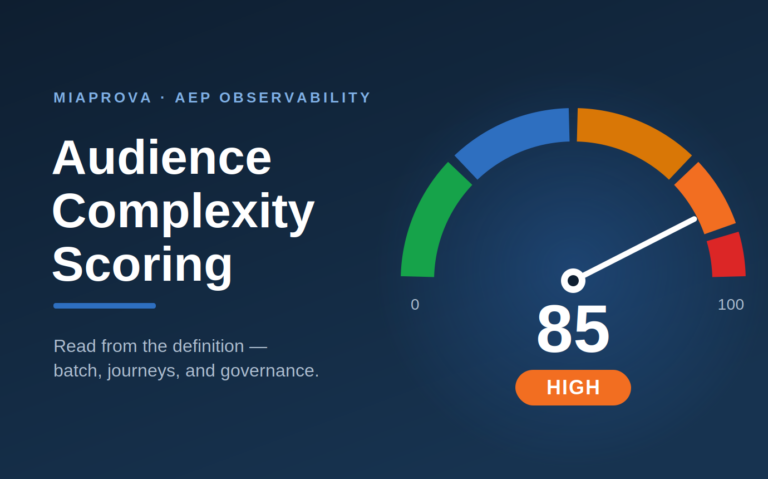
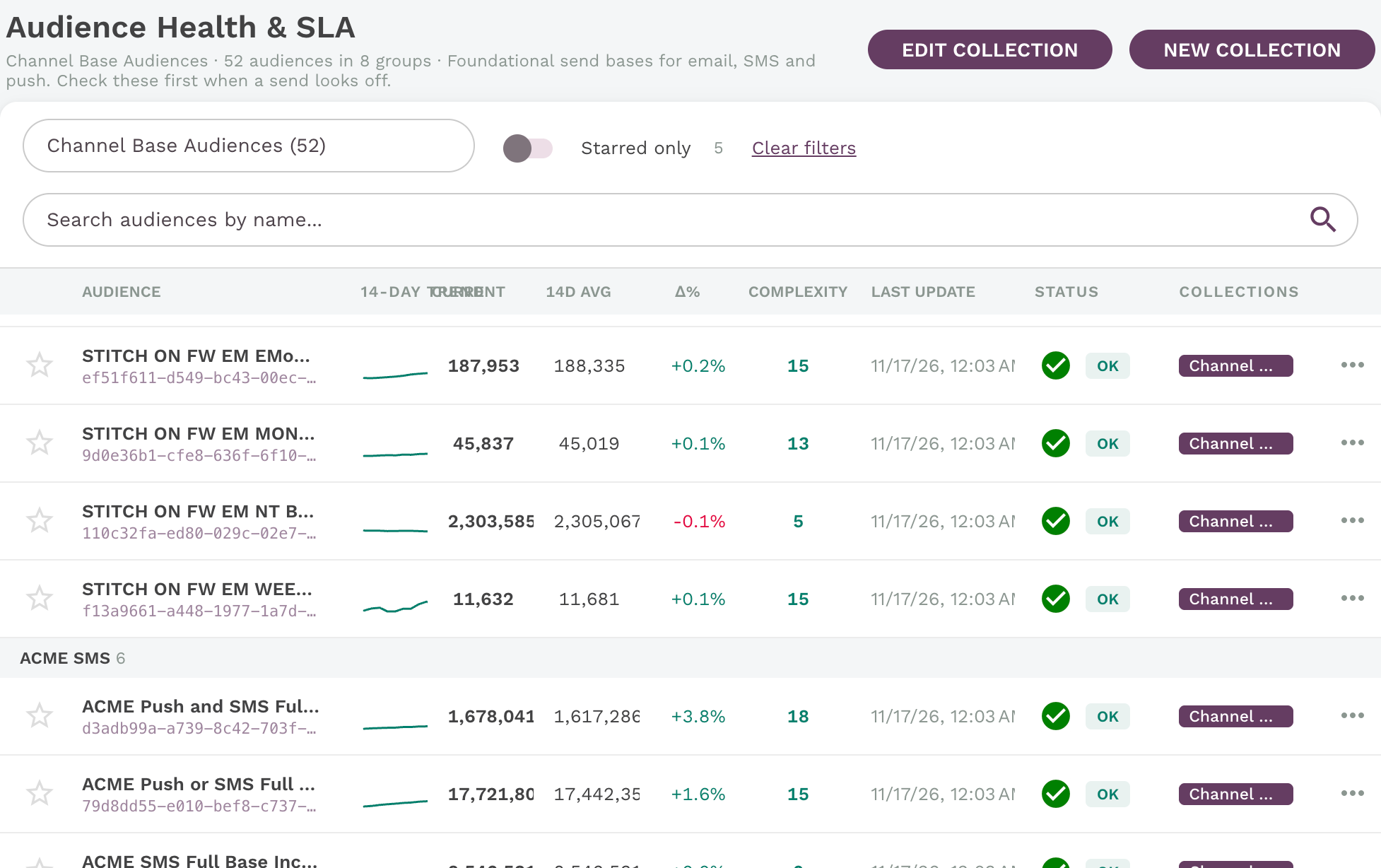
- Health stays attached. Every row keeps its 14-day trend, current and average profile counts, change %, complexity, last update and SLA status.
- Collection tags on every row. The Collections column shows where each audience belongs, even in the unfiltered list.
Filtered to a collection, the page header shows its name, audience and group counts, and description. Below, a collection of channel send bases, split into groups by channel.
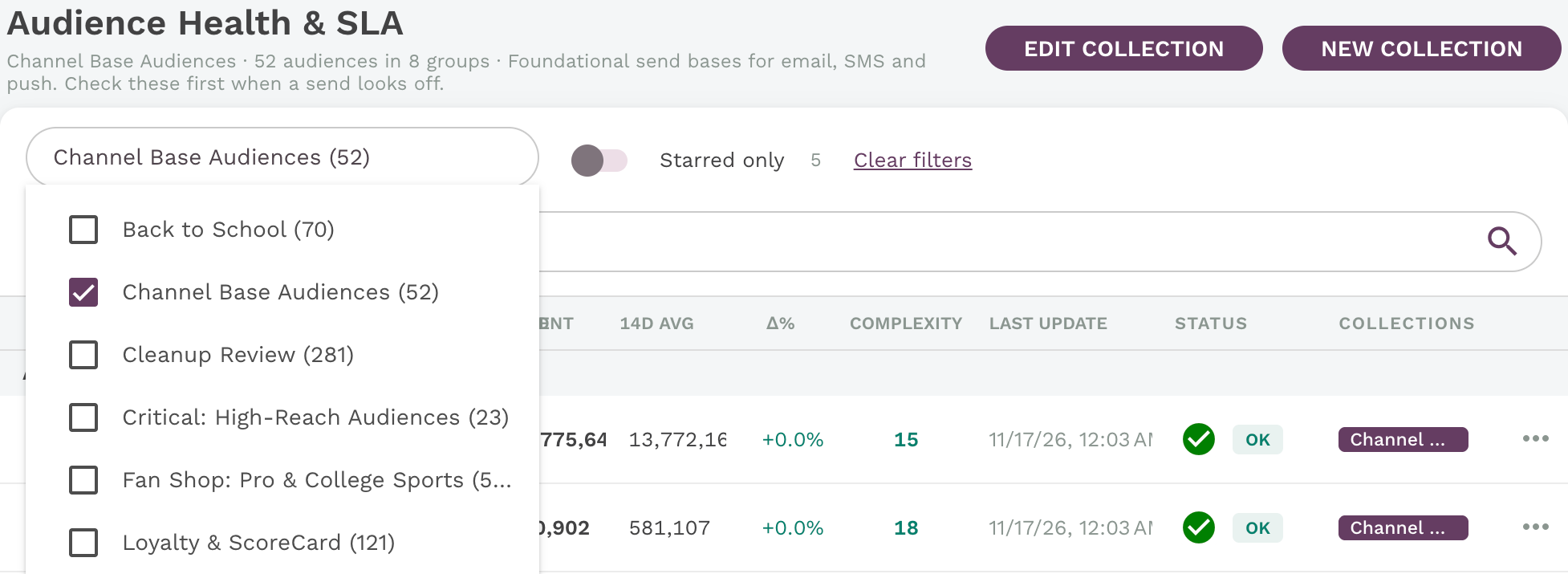
The Collections filter is multi-select, with a count beside each collection.
Building and editing a collection
Creating a collection takes about a minute and never leaves the Audiences page.
- Click New Collection, then give it a name and an optional description of what the audiences are for.
- Click + Add Group and name it. The active group shows an “Adding here” badge.
- Search the full tenant by name or audience ID on the left, or switch to Starred to pick from your favorites. Click Add and the audience lands in the active group.
- Click Create Collection. MiaProva confirms the audience count and filters the page to the new collection.
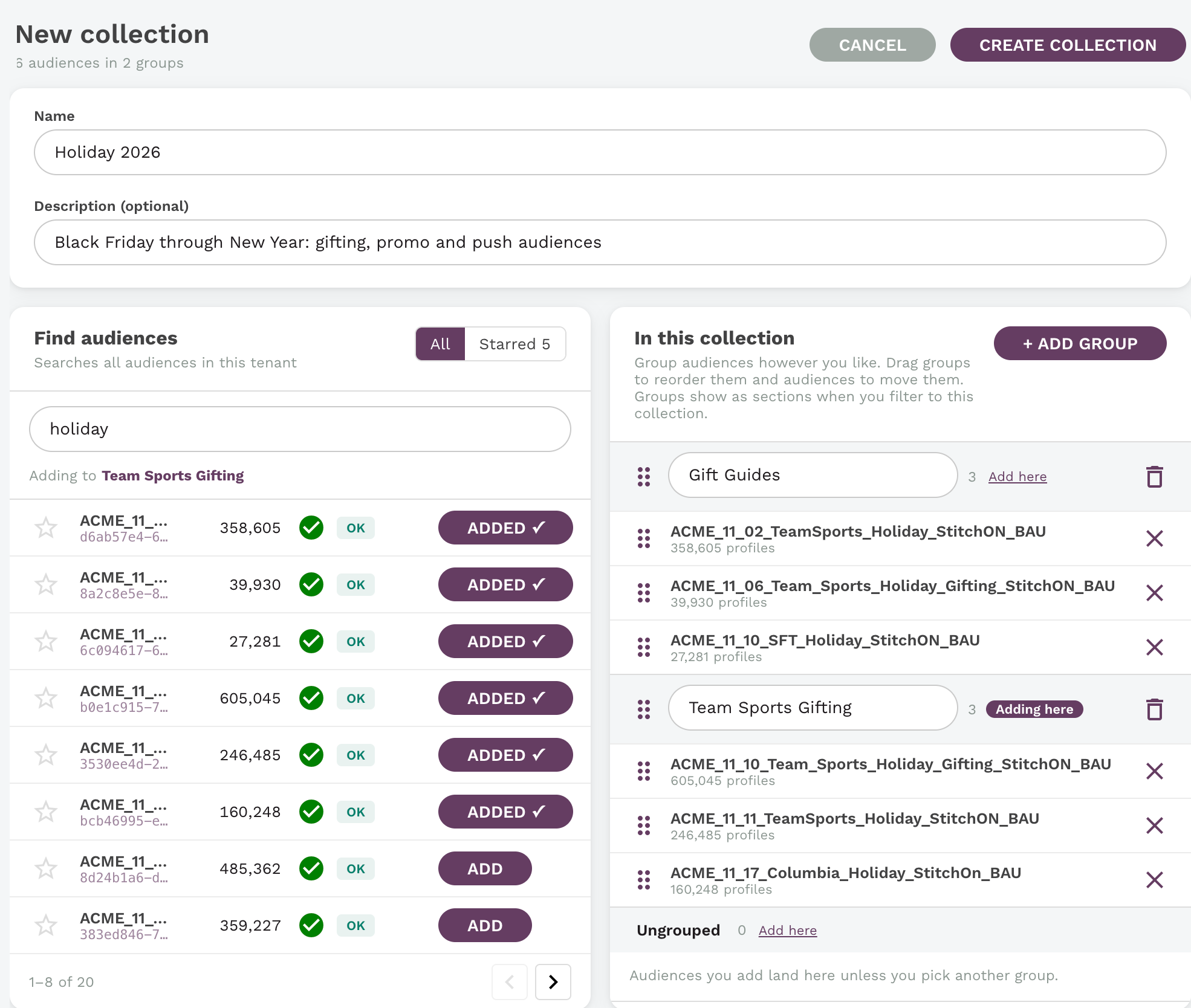
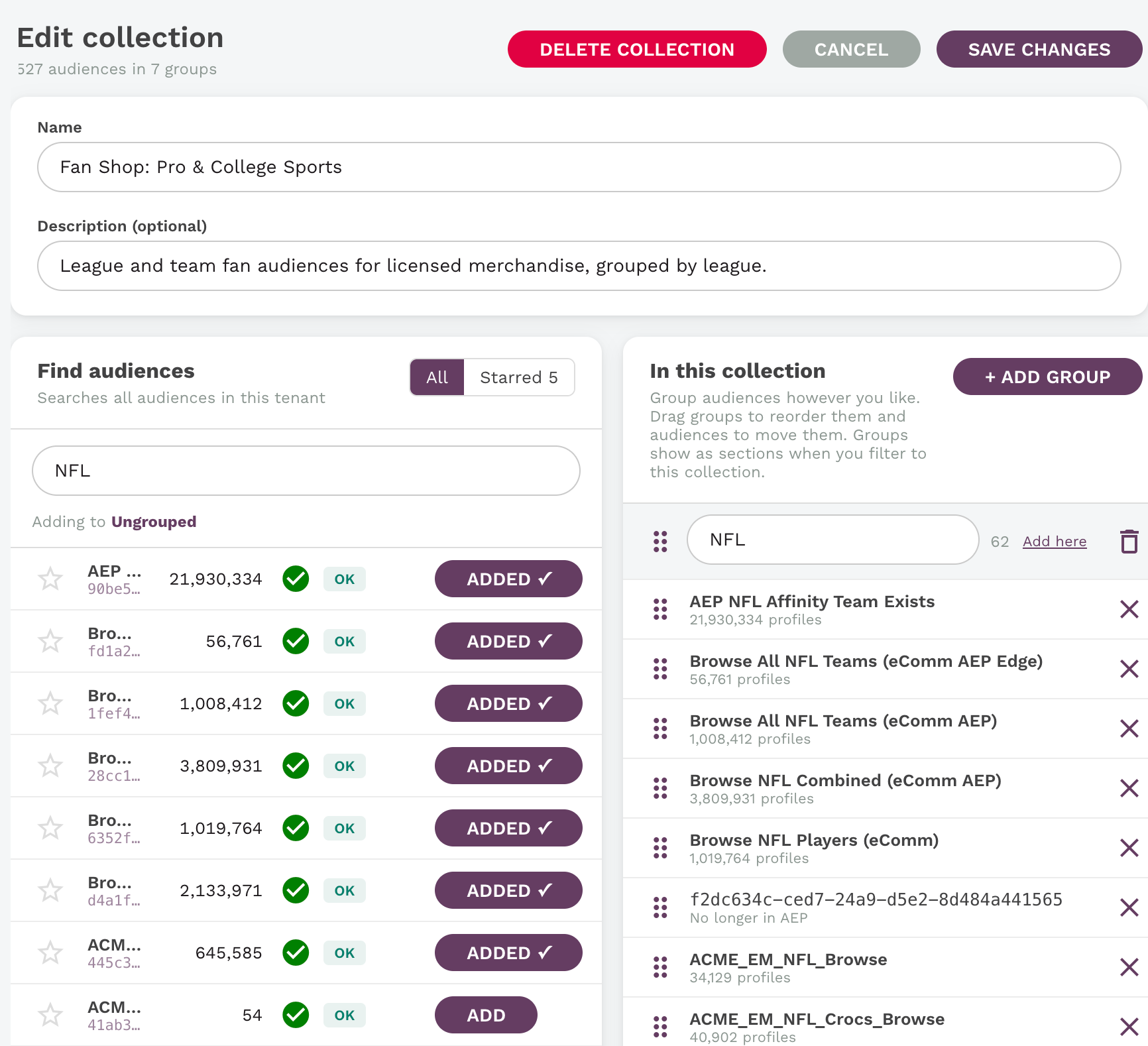
Editing works the same way. Edit Collection reopens the builder, where you can rename groups, drag groups to reorder them, drag audiences between groups, remove audiences, or delete the collection. Below, audiences from a tenant-wide search get added to a named group.
You can also curate straight from the list. Every row’s menu offers Add to collection, New collection with this audience, and star or unstar. Audiences added this way land in the collection’s Ungrouped section until you file them.
Favorites: your own shortlist
Favorites are per user. Click the star on any audience and it joins your personal list; your teammates’ stars stay theirs. The star shows in the main list, the collection builder and the row menu.
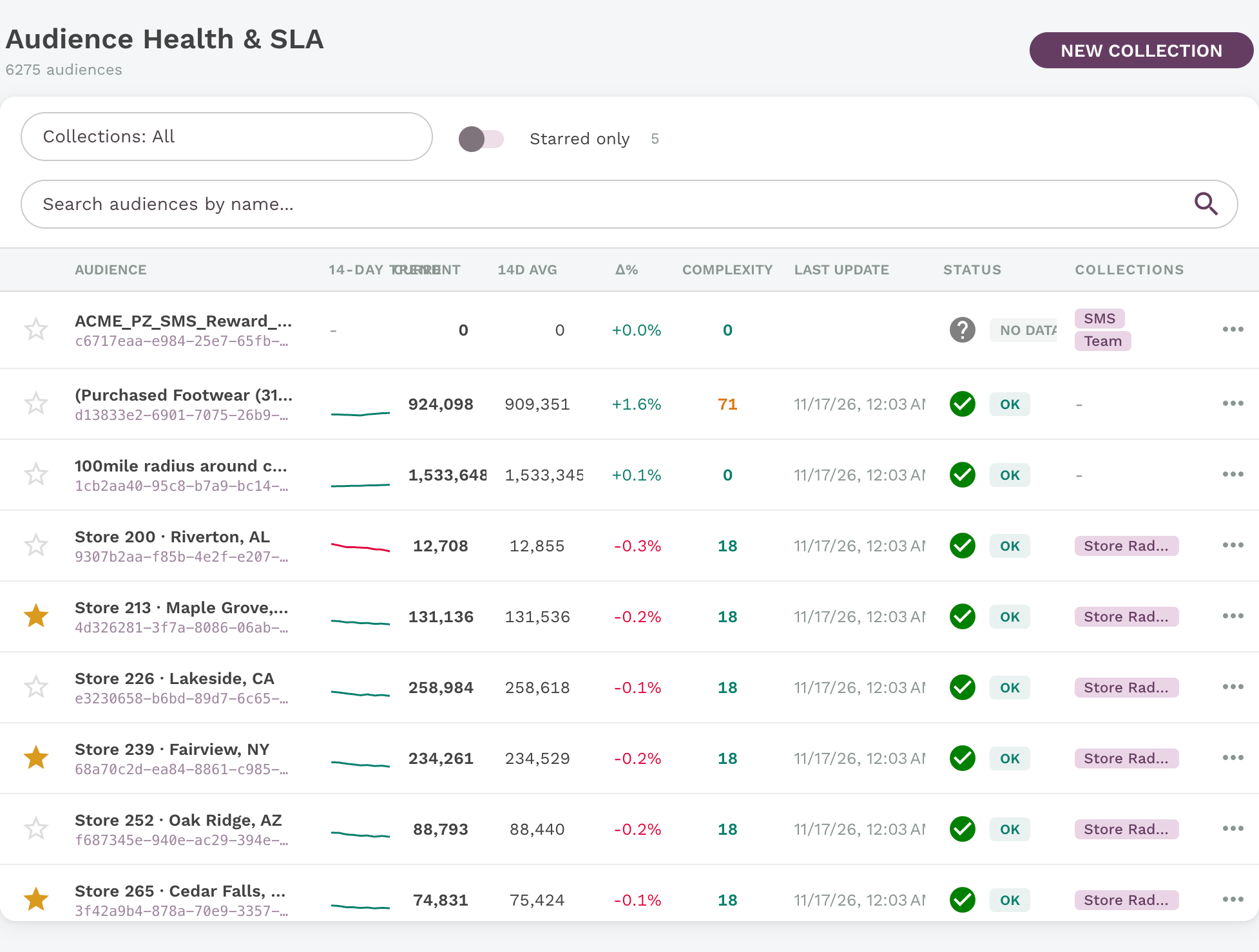
Flip Starred only and the 7,000-row list shrinks to the handful you watch every day, still with live health and SLA data. Starred only also combines with the Collections filter, so you can view just your favorites inside one program.
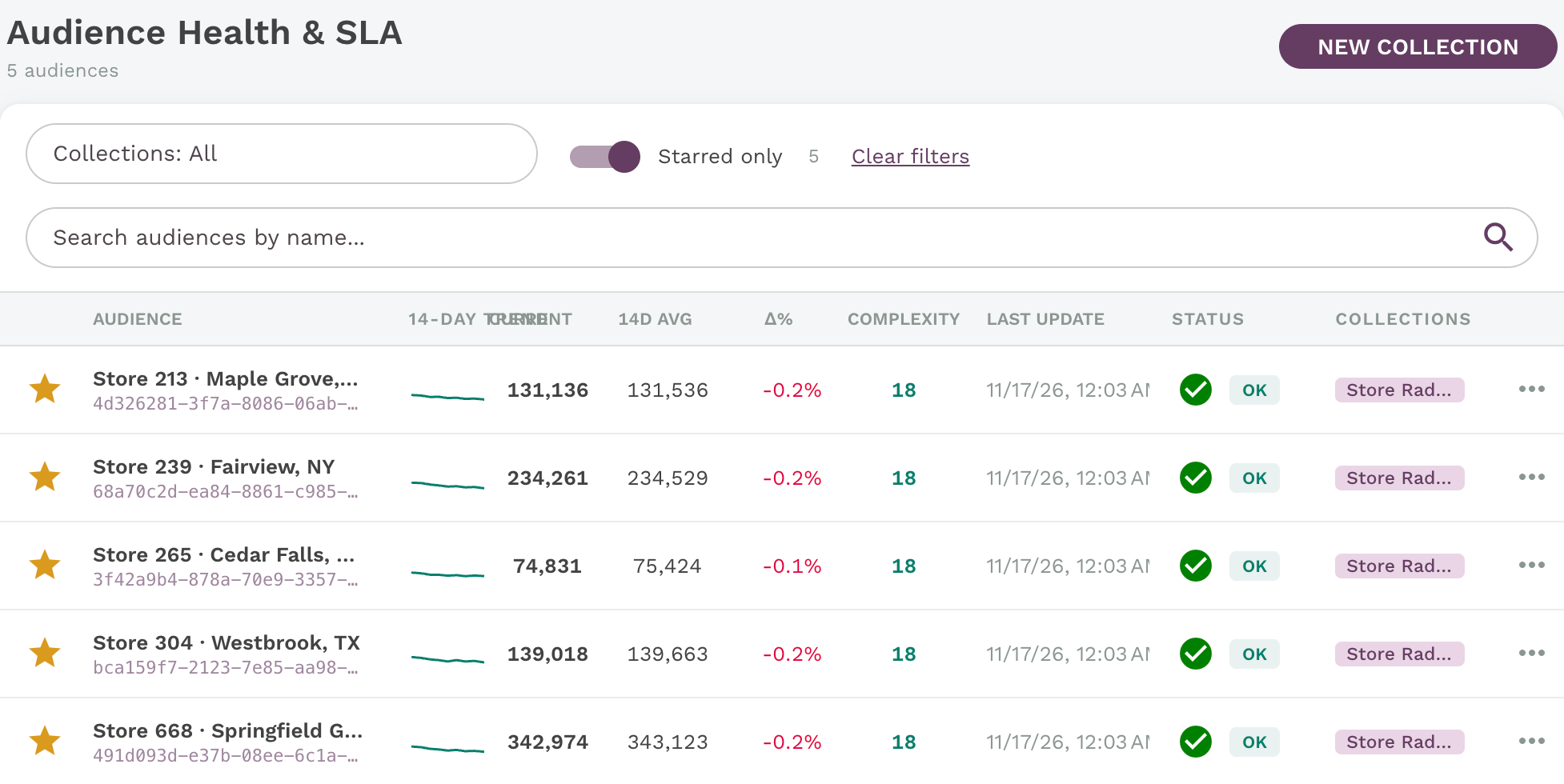
Collections are the team’s shared map. Favorites are your personal watchlist. Most people will use both.
How this fits with Audience Portal
AEP’s Audience Portal already lets you organize audiences with folders and tags, and Collections don’t replace that. They add an operational layer on top. A folder tells you where an audience lives. A collection tells you how it’s doing: 14-day trend, change against average, complexity and SLA status for every audience in the program, all in one view. Collections also support ordered groups inside each collection, and Favorites give every user a personal watchlist of their own. Nothing is renamed, moved or retagged in AEP, so your existing taxonomy stays as it is.
Why it matters for your organization
Audience sprawl is a governance problem, not just a navigation problem. When nobody can see which audiences belong to which program, broken segments go unnoticed, duplicates multiply, and new team members rebuild what already exists. Collections turn the audience catalog into something a team can own.
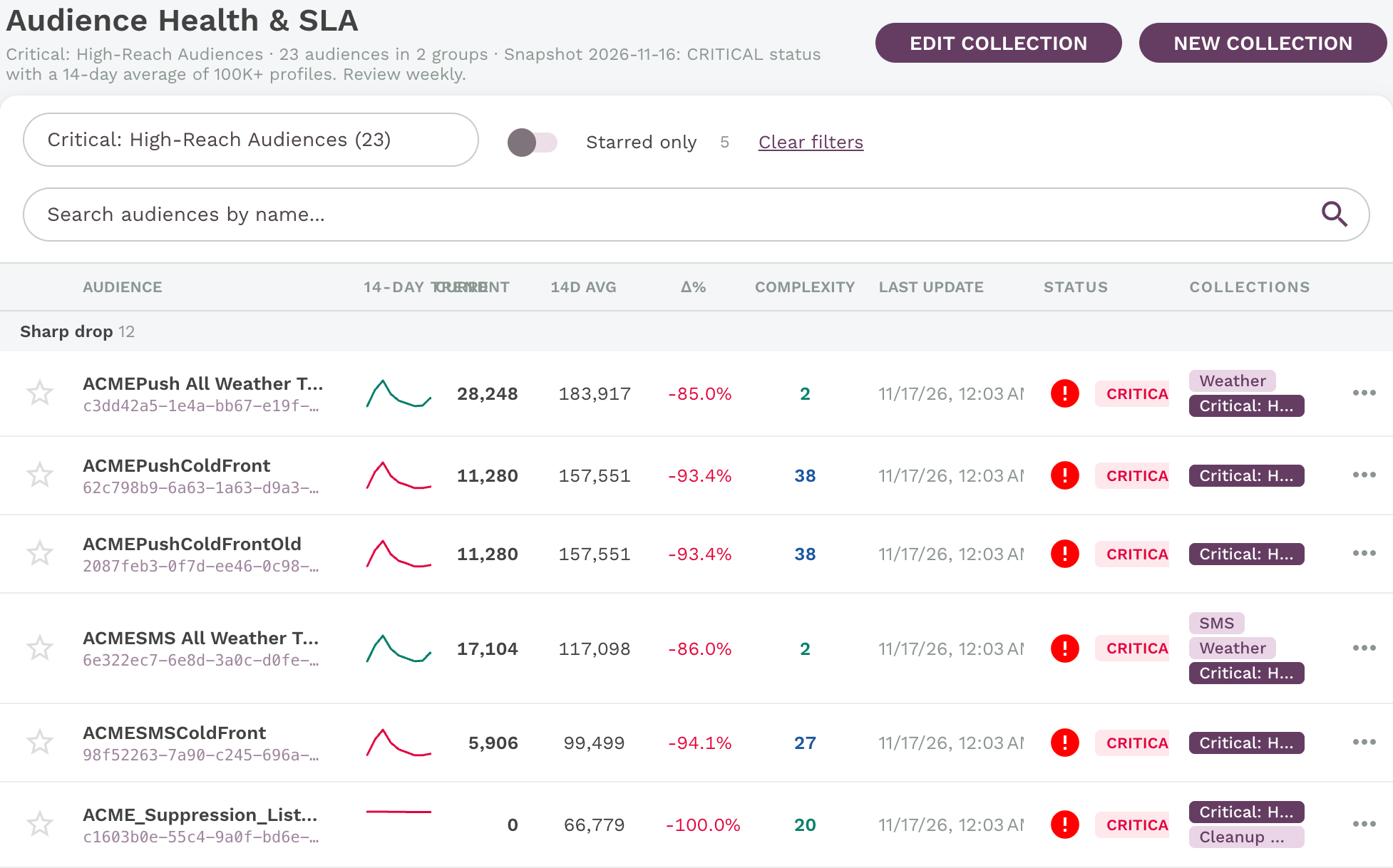
- Health triage by program. Filter to a collection and its health is one glance away. Below, combining two collections surfaces four Weather audiences in CRITICAL status, two down more than 84% against their 14-day average, before a campaign sends to an empty list.
- Clear ownership. A collection per team, brand or channel makes it obvious who is accountable for which audiences, and which audiences belong to no one.
- Faster onboarding. A new marketer opens the “Loyalty” or “Store Radius” collection and sees the working set, with descriptions, instead of reverse-engineering naming conventions.
- Safer cleanup. Collection tags on every row show which audiences are in active use. Audiences in no collection, and with flat or zero counts, are the first candidates for retirement, which matters as audience volume counts against RT-CDP limits.
- No changes in Adobe. Collections sit on top of existing audiences. Nothing is renamed, re-tagged or rebuilt in RT-CDP, so there is no risk to live activations.
- Shared language across teams. Marketing, analytics and the platform team look at the same named groups when they discuss a program.
Ways teams organize collections
| Collection | Groups | Who uses it |
|---|---|---|
| Store Radius Audiences | Southwest, Northeast, Midwest | Local and grand-opening marketing |
| Weather Triggers | Push, SMS, regional triggers | Lifecycle and CRM |
| Loyalty Program | Tiers, reward earners, lapsed members | Loyalty team |
| Paid Media Activations | Google, Meta, The Trade Desk | Media and agency partners |
| Personalization | Adobe Target audiences by page or test | Optimization team |
| Cleanup Review | Zero count, no update in 30 days, duplicates | Platform admins |
Getting started
Audience Collections and Favorites are live now on the AEP Audiences page in MiaProva, under Adobe Experience Platform. Star the audiences you check every day, then build one collection for the program you own. Your team will see it in the Collections filter right away.
Want a walkthrough on your own RT-CDP tenant? Contact your Adswerve team to schedule a MiaProva demo.
Screenshots use anonymized audience names, IDs and profile counts.