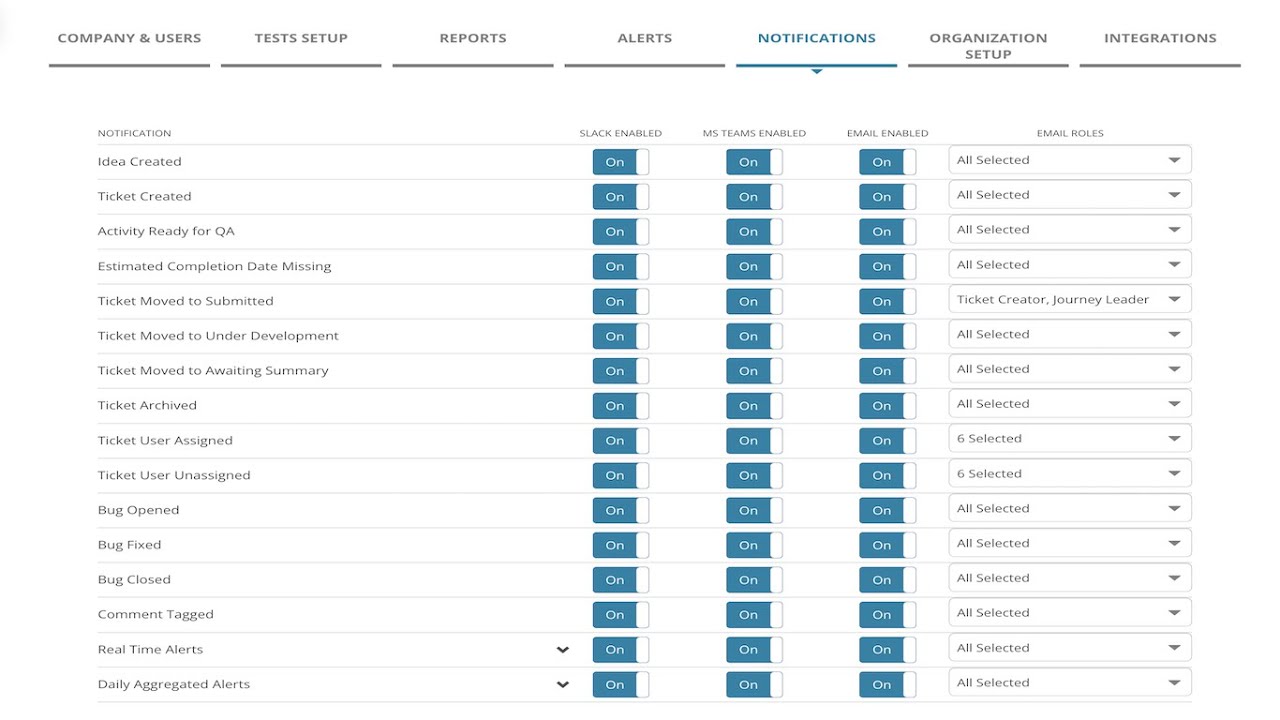
MiaProva has delivered considerable value for organizations through our notifications as events happen in MiaProva and when there are issues related to their Activities that are Live in Adobe Target.
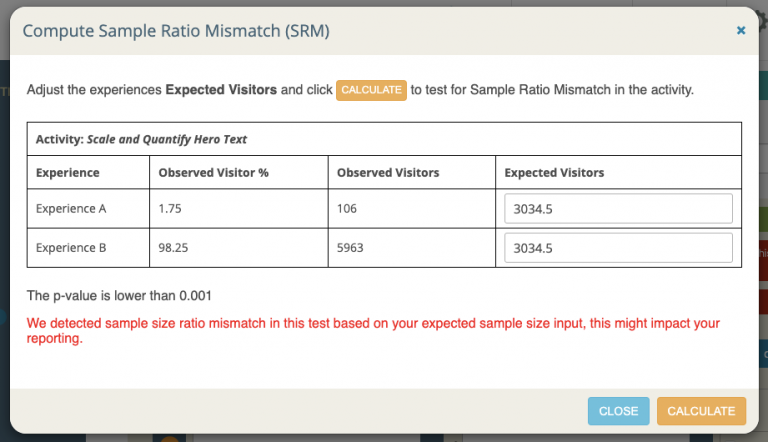
We’ve now expanded on that ability to Microsoft Teams. Now, organizations can update one of their Teams to get a real-time feed when a new Activity is submitted or archived, a negative lift with confidence has been seen, a sample ration mismatch has been detected, or any other of the many events that MiaProva monitors.
The video discusses the integration of MiaProva with Microsoft Teams, which allows for notifications related to workflow and performance events in MiaProva to be sent to Teams. The notifications can be configured based on roles within MiaProva and can also be sent to Slack. The integration is straightforward and notifications appear in a separate channel within Teams. The video provides examples of the types of alerts that can be configured and how they appear in Teams. A daily aggregated alert is also provided. Viewers are encouraged to ask questions if they have any.
Transcript: (00:00) this is a quick video outlining the integration Mia Prova provides with Microsoft teams so those of you familiar with Mia Prova are aware of all the notifications that we provide via email via slack and now via Microsoft teams so these are a combination of workflow related events like if an activity is ready for QA if a ticket is being archived if there’s been a bug you know things along those lines a typical workflow for a test or personalization activity being configured and we also provide performance related uh (00:37) notifications as well when the code has been changed in Adobe Target the kpi metric is above or below the threshold and we also send out a daily aggregated alert as well and so these can be configured by roles within miaprova but also they can be sent along to slack and Microsoft teams the integration to teams is very straightforward it’s available within this part you would get this information from the documentation that your Mia Prova account would provide and what that would look like within Microsoft (01:11) teams is exactly like this so you’d have a your whatever teams that you’re using today there’d be a kind of Channel within it and you whatever alerts or notifications you configured within your Mia Pro account would flow right in here you can see some alerts related to sample ratio mismatch you can see here that’s missing an estimated to have completion date all related to whatever you configured for your particular account so you’ll also get a daily aggregated alert with everything that’s (01:43) going on across the activities that are live but here you can see performance related alerts where you could see that no success events in the last 12 hours and things like this and these are always very these are specific to the journey that was configured within Mia Provo so if there’s any questions please let us know
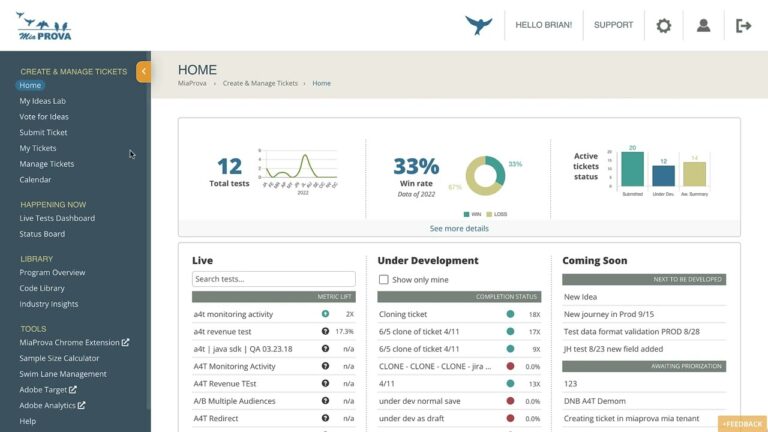
MiaProva’s Live Dashboard provides organizations with various tools to manage any Activities in flight. This quick 2-minute video gives you an overview of some of the functionality available here.
MiaProva enables organizations to quickly and easily highlight the direct impact tests are making on organizational goals. Users of MiaProva can also make use of a wide array of strategic filters to make test review and communication seamless.
Spoiler Alert: If you don’t want to know today’s Wordle answer or how to access the solution without playing, please do not watch the video below. Local Storage Most websites widely use local Storage to store and access data. This data doesn’t expire like cookies and can hold considerably more data than cookies. Because of…
This video will maybe help those Adobe Target users with debugging or validating the Geo-Targeting capabilities within Adobe Target. We wrote this blog post some time ago that allows users to see what Adobe Target Geo meta-data is mapped to your IP address and that has generated many inquiries to us and we hope this video helps with that.
Blog Post: https://www.miaprova.com/blog/adobe-target-geo-targeting/
Debugging Example URL (remember to go incognito or clear cookies to spoof your IP address): https://www.miaprova.com/blog/adobe-target-geo-targeting/?mboxOverride.browserIp=149.142.201.252
One of our customers here at MiaProva is expanding their testing efforts and use of Adobe Target well beyond their www and mobile site. They are bringing Adobe Target to their Email Platform, and we are helping them do so. The magic that is making this possible is Adobe Target’s Delivery API. You have to…
Sample Ratio Mismatch (SRM) is a thing, a real thing that optimization programs need to concern themselves about. At a high level, SRM means that the variants (experiences) of an A/B test have a traffic distribution (sample) that differs in a statistically significant way from what you expected the allocation of traffic or the sample…