
Adobe Target Offer Capping
This video provides a way for you to apply rules to how many times an offer gets displayed as part of an Adobe Target Activity.
This video provides a way for you to apply rules to how many times an offer gets displayed as part of an Adobe Target Activity.
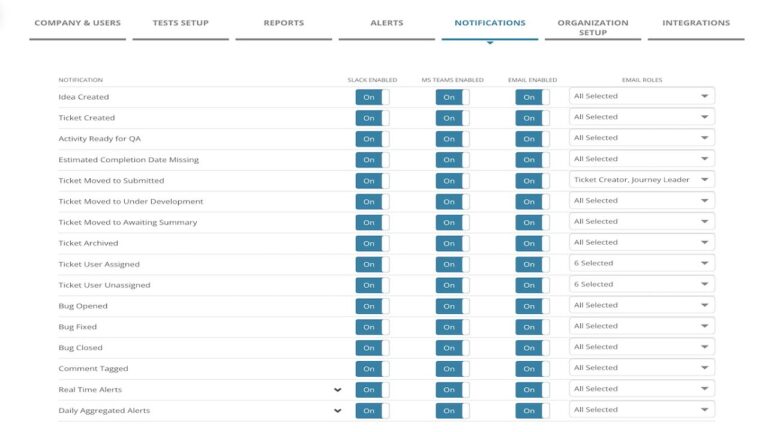
MiaProva has delivered considerable value for organizations through our notifications as events happen in MiaProva and when there are issues related to their Activities that are Live in Adobe Target.
We’ve now expanded on that ability to Microsoft Teams.
Adobe Target allows you to target audiences that are not in other tests. But what happens if two activities are running at the exact location? What will Target do?
This video answers that and explains how you can manage things differently.
* How A4T can provide the mechanisms to align organizationally, scale your optimization program, monitor the program in aggregate, and leverage metric-driven AI
* Automation with Target and putting the metrics and audiences from Analytics to work for you
* Incorporating Automation to advance the journeys of your digital consumers
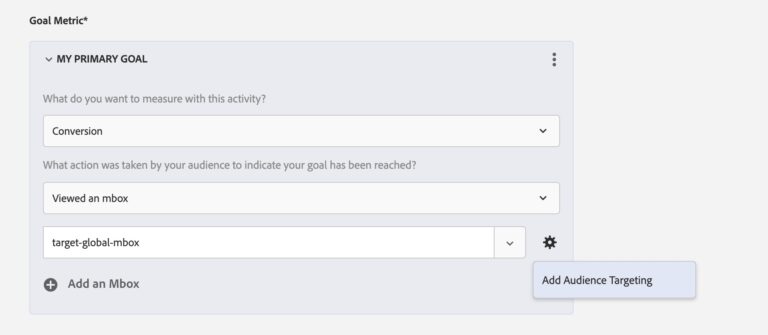
This video provides users of Adobe Target a nice option if you want to use an Adobe Analytics Calculated Metric as a custom goal. Bonus tip: Passing pageName to Adobe Target mboxes is a very helpful utility for many reasons!
A well-rounded testing program not only requires innovative strategy and flawless execution, but also solid reporting and documentation of learning.
Many testing teams find the reporting and documentation work time-consuming, manual and repetitive.
MiaProva leverages your existing testing solution’s data integration APIs and automates significant amount of testing reports.
We often get asked about all things Adobe Target here at MiaProva given our Chrome Extension, participation in forums like Measure Slack or SDEC’s Education Community, or my work at Analytics Demystified. Several people recently suggested that it would be beneficial to have videos related to the guidance and feedback. And just this week, a…