Adobe Target in the MCP era: What we covered in yesterday’s webinar with Adobe
Yesterday I had the pleasure of co-hosting a webinar with Drew Burns of Adobe on a topic that has consumed a good chunk of my professional life over the past year: AI-powered optimization with Adobe Target’s MCP tooling. Turnout was incredible. We may have set a record for Adobe webinar participation, and the opening poll told the story of where the industry is right now. Most attendees are using AI a little. A meaningful chunk are not using it at all. I said it on the call and I will say it again here: after seeing how simple this is, those numbers are going to flip fast.
If you missed it, the recording is on its way to registrants. Below is a walkthrough of what we covered and the takeaways I want every Target practitioner to leave with.
The opening demo: one sentence, four minutes, one live activity
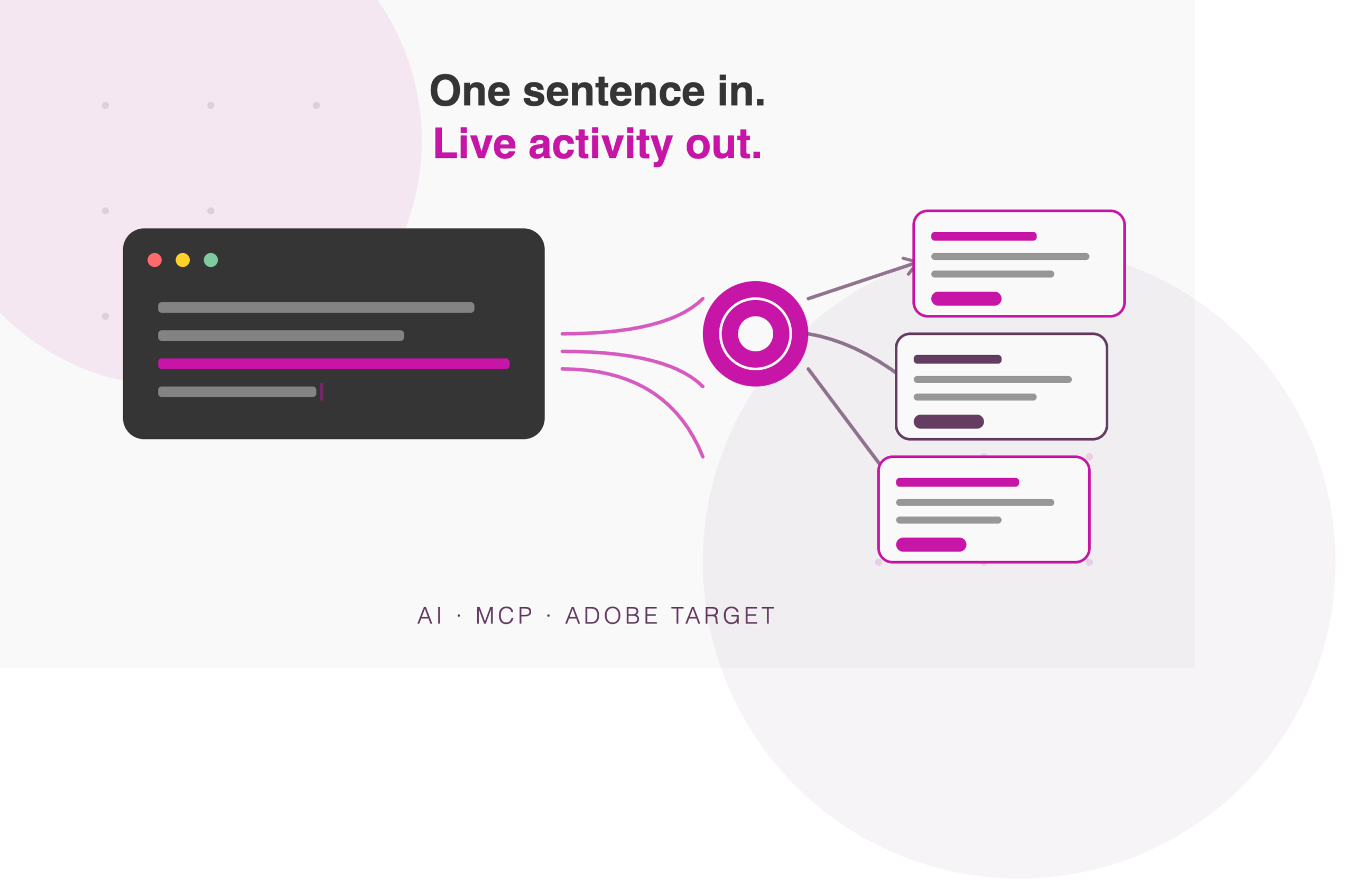
I wanted to open with something real, not slideware. So the afternoon before the webinar, at 3:43 p.m. Central, I gave Adobe Target’s MCP tooling a single prompt from my Claude account. I asked it to create an Adobe Target offer promoting the webinar as an overlay on miaprova.com, and to build an activity so I could QA it.
By 3:47 p.m. it was done. Four minutes.
It fetched the registration page, pulled the webinar details, noticed Drew was co-presenting, wrote the offer with the JavaScript and CSS to render the overlay, and was smart enough to stop showing it to visitors who dismissed it. It created the audience, gated the whole thing behind a QA URL parameter, and stood up the activity. The change log confirmed every step. Anyone who remembers what it took to pull that together in 2008, or 2015, or honestly 2025, understands why I opened with it.
The friction is not capability. It is scale.
Adobe Target is a mature enterprise decisioning, experimentation, and personalization engine. Practitioners already know how to run it. What holds programs back is not the tool. It is the compounding operational weight around the tool.
Three patterns show up over and over. Expertise bottlenecks, where only a few people know how to inspect and configure every activity, audience, metric, and offer. Manual workflows, where reporting, QA, launch checklists, and stakeholder summaries get rebuilt from scratch every week. And disconnected context, where Target data, Analytics data, Jira tickets, test plans, and learnings all live in different tools that no one has time to reconcile.
Optimization teams do not need more tabs. They need more leverage. That is what MCP is for.
What MCP actually is, in plain English
Adobe Target has been API first since the Offermatica days. I started working with mboxes in 2006, and the only reason MiaProva could exist at all is that the engineering team behind what became Adobe Target exposed APIs for everything: activities, offers, audiences, reporting, and more.
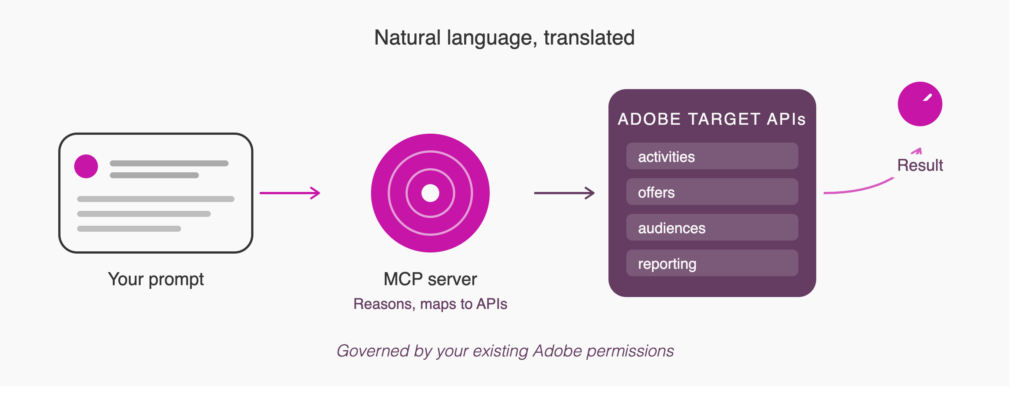
MCP, the Model Context Protocol, is the layer that lets an AI client speak to those APIs in natural language. You type a prompt. The model reasons about what you want, the MCP server maps that intent to the right API endpoints, Adobe Target does the work, and you get a summarized result back. That is the whole trick. And it is why Adobe has such a leg up here. The APIs already existed and they run deep. Other enterprise testing platforms are scrambling right now to build the API surface area that Adobe has had for nearly two decades. APIs made Target extensible. MCP makes that extensibility conversational.
Connecting takes minutes, and permissions still rule
Getting started requires almost nothing. You need to be a user in Adobe Target. There is no implementation change and nothing to configure in the admin console for Target itself. You add Adobe’s MCP gateway as a custom connector in Claude or ChatGPT, authenticate with your normal Adobe login, and you are off. The gateway URL is targetmcp.adobe.io/mcp and the Experience League documentation covers setup, tools, roles, and troubleshooting.
The critical piece is that the MCP tooling respects your Adobe permissions. A read-only observer cannot chat their way into turning on a test. Approvers and editors can do what approvers and editors can do. That governance layer, managed exactly where you manage it today in the Adobe admin console, is what makes this safe to adopt.
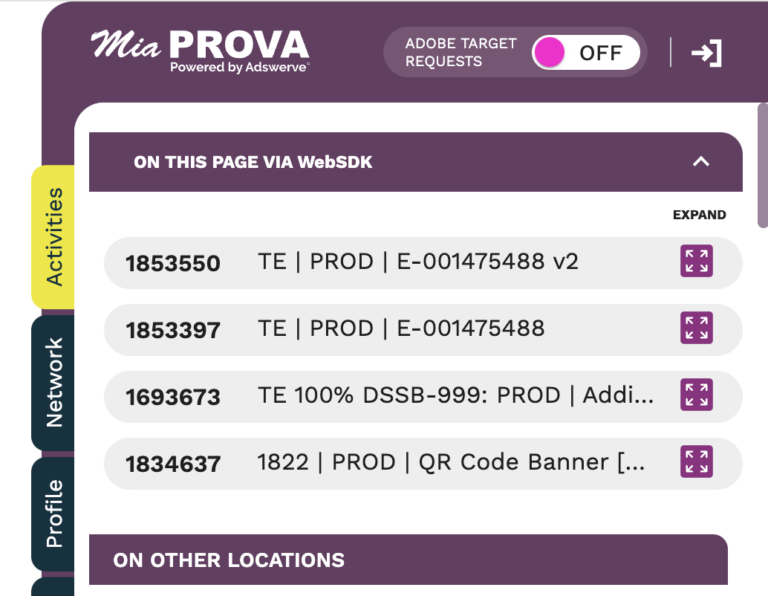
Inside MiaProva we went a step further. We built MCP tooling directly into the platform, running on Adswerve’s enterprise GCP account, so our customers can start using it immediately without needing their own paid AI subscriptions. We actually ran a homegrown version of this integration for about a year before Adobe’s public beta, which gave us a front-row seat to how real programs put it to work.
Adobe Target becomes conversational
The workflow does not change. The interface does. Every phase of the program still exists, but the way you move through each one gets dramatically faster.
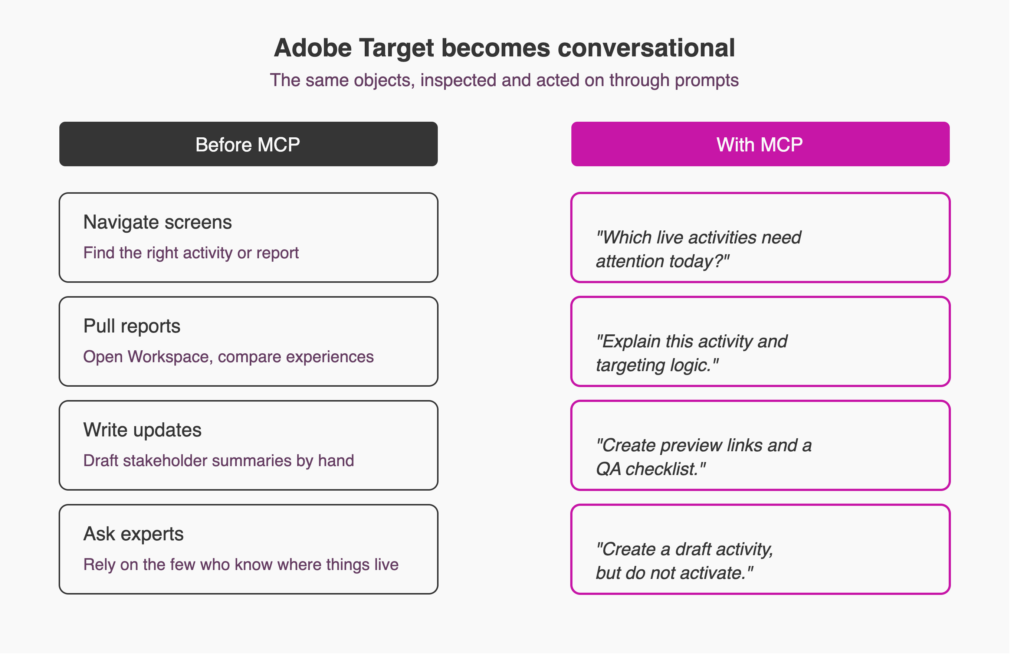
Before MCP, you navigated screens to find the right activity, audience, offer, or report. With MCP, you ask a question: which live activities need attention today? Before MCP, you pulled reports by opening Workspace, dragging in dimensions, and comparing experiences. With MCP, you say analyze this activity’s performance and recommend a decision. Before MCP, you drafted stakeholder summaries by hand. With MCP, you say rewrite this as an executive summary for a non-technical stakeholder. Before MCP, you leaned on the one or two people who knew where everything lived. With MCP, that expertise gets encoded in prompts that anyone on the team can run.
The same eight-phase lifecycle every mature program follows, from planning through learning, is still the operating model. MCP just makes each phase inspectable, explainable, and actionable in plain language.
Where it fits, with real prompts
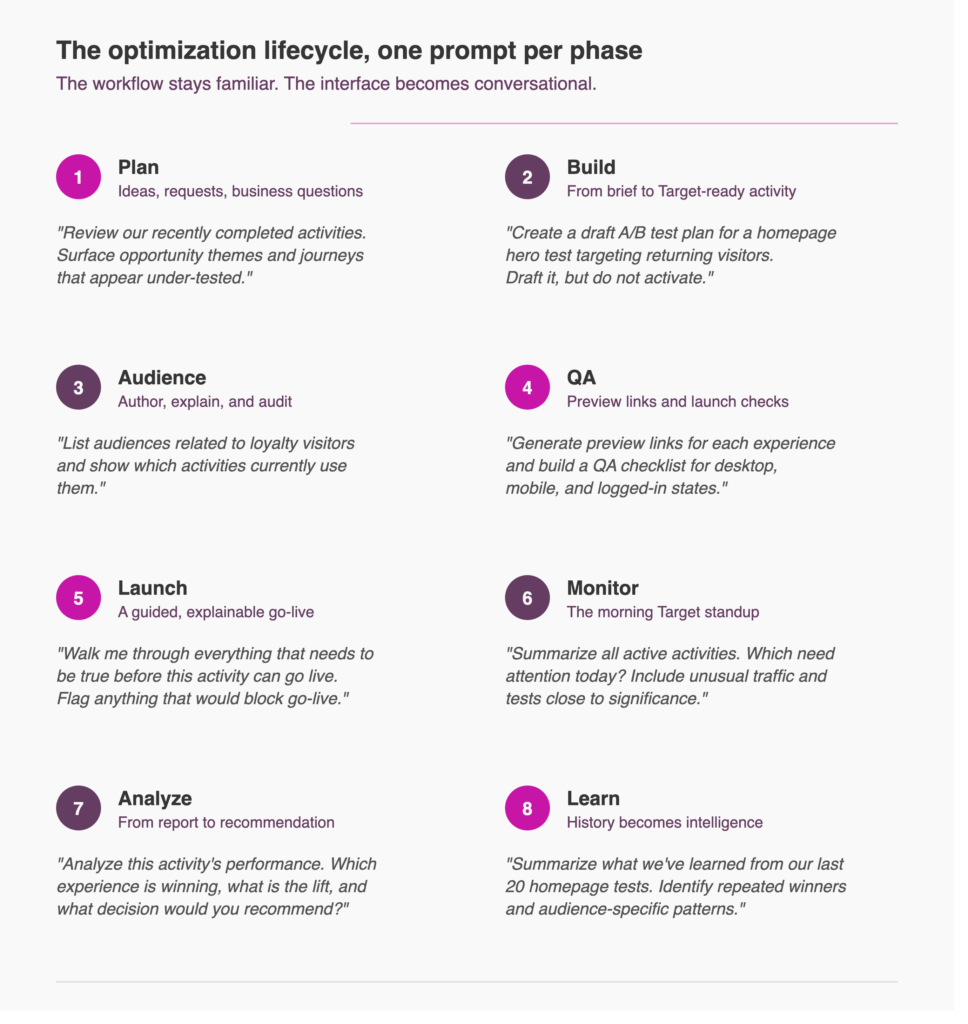
For planning, teams are moving from generic AI brainstorming to account-aware opportunity discovery. A prompt like review our current and recently completed activities, summarize the biggest opportunity themes, and flag journeys that appear under-tested uses the program’s actual history to generate hypotheses. That is a very different starting point than a blank page.
For building, users who are not deep Target practitioners are turning briefs into activities in minutes. One prompt I saw last week: create a draft A/B test plan for a homepage hero test targeting returning visitors. Include hypothesis, experiences, audience, primary metric, secondary metrics, traffic allocation, QA steps, and launch checklist, but do not activate it. The practitioner stays in control. The first draft just becomes faster, cleaner, and more consistent.
For audiences and offers, this is where I geek out hardest. The Adobe Target profile is the most valuable and most intimidating component in the ecosystem, and the tooling will write profile script syntax for you and explain it. It also audits dependencies. List audiences related to loyalty visitors and show which activities currently use them is a query that used to take an afternoon and now takes seconds. That has been huge for teams migrating to Real-Time CDP audiences.
For QA and launch, one of my customers runs a standing prompt to double check activity configuration before go-live. Last week it caught an activity still sitting at a 100 percent QA traffic split instead of 50/50, which would have introduced sample ratio mismatch. That is a real save. Confirm the audiences, offers, goals, and traffic split for this activity, then summarize what happens at launch turns the go-live sequence into something explainable and repeatable rather than tribal knowledge.
For monitoring, teams are running a morning Target standup with one prompt: summarize all active activities. Which need attention today? Include unusual traffic, tests close to significance, activities running longer than expected, and anything recently changed. The output becomes a daily decision list, not another report.
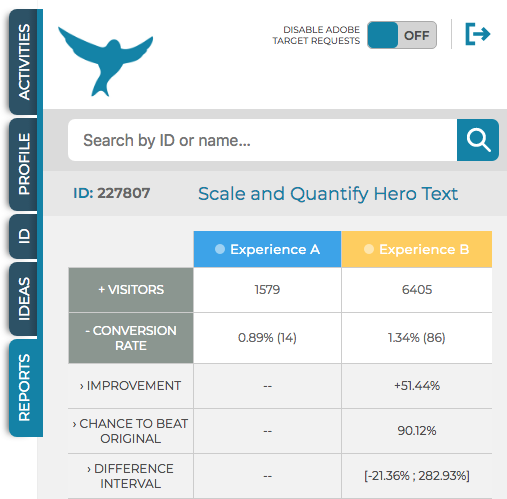
For analysis, the friction is not pulling numbers. It is turning numbers into recommendations. Analyze this activity’s performance. Which experience is winning, what is the lift, how confident are we, and what decision would you recommend? shortens the path from data to decision. Follow it with rewrite this as an executive summary for a non-technical stakeholder and you have both the analyst view and the leadership view in the same conversation.
For learning, optimization compounds only when learnings are accessible. Summarize what we have learned from our last 20 homepage tests. Identify repeated winners, failed themes, audience-specific patterns, and recommended future test areas moves the program from one-off reporting to institutional memory. This is where MCP stops being a shortcut and becomes an operating advantage.
Governed acceleration, not unchecked automation
Should AI be allowed to touch Target? Yes, with guardrails. My six most sophisticated MCP customers are not letting the tooling turn on tests unattended. They gate everything behind QA parameters and run their normal QA cycles. That will change as trust grows, but it is the right posture now.
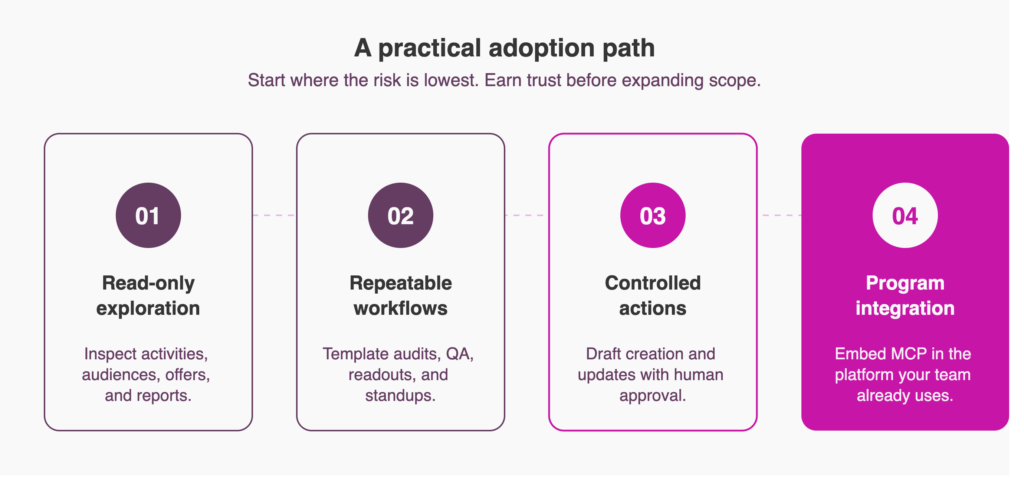
The adoption path that has worked for these teams is simple. Start with read-only exploration: inspect activities, audiences, offers, and reports. Then move to repeatable workflows: template the audits, QA checks, readouts, and standups that you run every week. Then controlled actions: draft creation and updates with human approval. Then program integration: embed MCP inside the platform where your team already works, so prompts, outputs, and decisions live alongside your test records and program history. That last step is where MiaProva comes in for our customers, and it is why we operationalized MCP directly inside the product.
Standardize your prompts
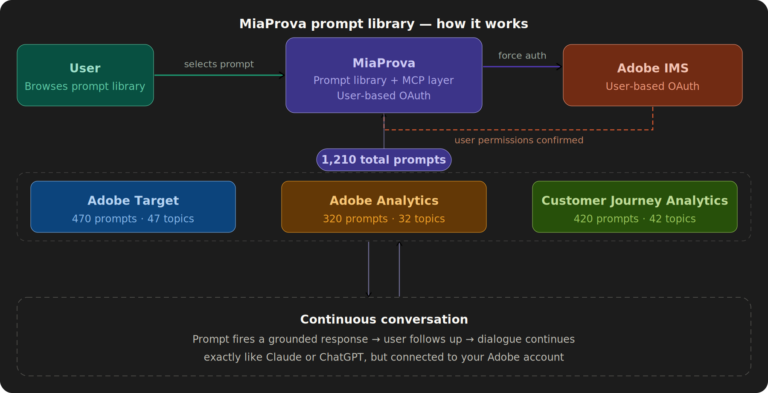
The biggest operational lesson from the teams furthest along: build a prompt library. If you have fifteen people freelancing their own prompts, you will get fifteen different definitions of a winner. Standardize the prompts that encode your KPIs, your confidence thresholds, and your analysis format, then iterate as an organization. Once you are good at that, chain prompts into packs that run in sequence. We have built this library concept directly into MiaProva, seeded with tried and true prompts from across our customer base.
What is coming
Drew shared Adobe’s direction, and it aligns with everything announced at Summit: agentic workflows, a more proactive Target with an insights dashboard, and Adobe’s CX Enterprise Coworker acting as the conversational layer that knows which agent and which MCP endpoint to hit. Target is evolving from a tool you operate into something closer to a coworker that prompts you with insights and opportunities. As someone who has spent most of the last eight months deep in AEP, I could not be more excited for where this converges.
The practical takeaway: connect to the Target MCP gateway, read the Experience League documentation, start with read-only prompts on a sandbox, and pick one repeatable workflow to template first. The future of Target is not just more automation. It is better orchestration.
Below is a copy of the presentation. If you would like help getting your program started with MCP tooling, reach out. The recording will hit registrant inboxes shortly, and I am always happy to talk about this on LinkedIn. This topic is near and dear to my heart, and we are only at the opening scene.