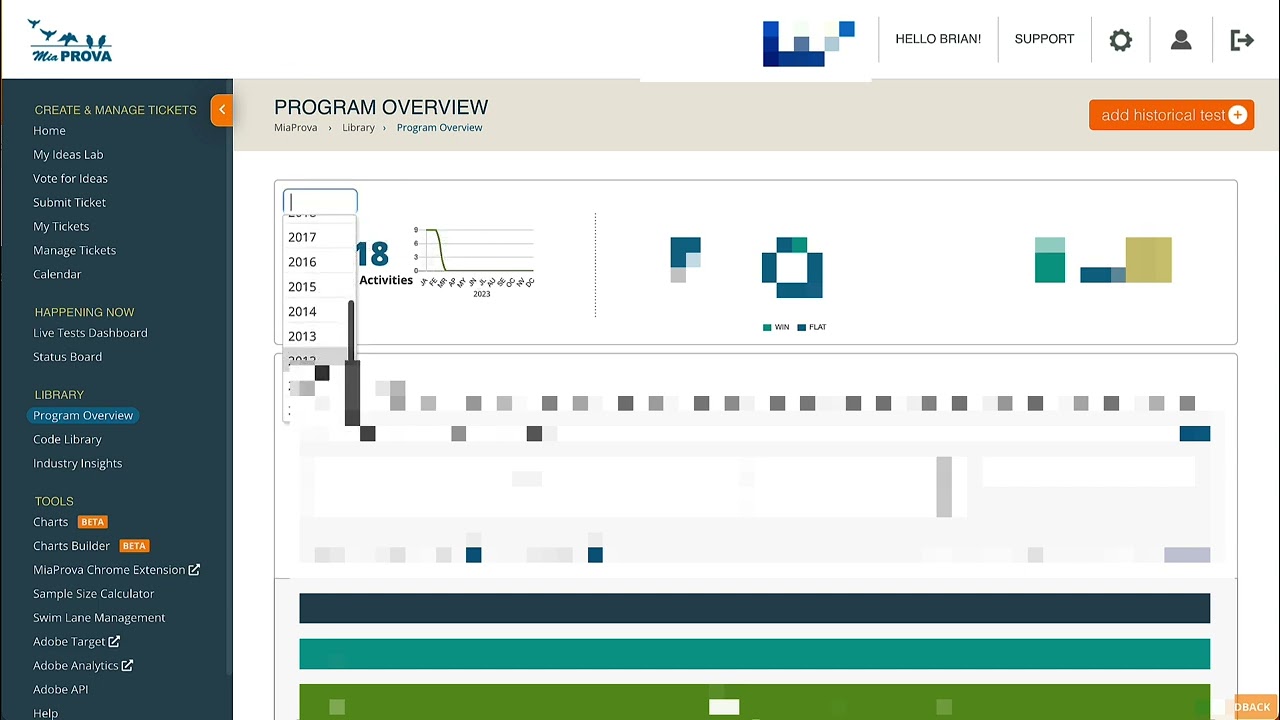
Historically, MiaProva would only provide Adobe Target usage reports from when they started using MiaProva. We have since changed that and now provide reporting on their usage of Adobe Target since they started using it. Many of our customers have been using Target since 2010 or even earlier!
The video is about a new feature in MiaProva’s last release which allows customers to view year-over-year reports on how they are using Adobe Target, including activity throughput. The report filters can be applied to exclude QA activities. The feature has been updated to go back to the beginning of the company’s relationship with Adobe Target. MiaProva’s tools for efficiencies and scale have helped many customers to run lots of activities year over year. The speaker encourages MiaProva customers to check out this new feature.
Transcript: (00:00) here’s a quick video on a small little feature that we incorporated with our last release that a couple customers that provided a few that I saw that was super cool so I thought I’d do a video to show so um what you’re seeing here is um just a report in terms of how you’re using Adobe Target and year over year um reporting in terms of activity throughput and historically what we’ve done is only started the year of the graph when Mia Provo when the company first started using miaprova but we’ve (00:33) since updated to go back all the way in time since the Adobe Target relationship at the organization started and so I thought it’d be interesting to kind of show you know some of this so here’s here’s an organization using Adobe Target since 2010 you can see the kind of the progression year over year so MIA purple customers give this a look um your report filters that you apply within here so when you want to filter out activities like QA that’ll apply on the data set as well so you can you kind (01:02) of see your company’s growth and the companies that are doing like lots of testing as you see here Mia Prova obviously helps with this you know with our standardization our tools for efficiencies and scale and so you’ll see a lot of companies out here that’ll have lots of companies or lots of activities run year over year and me and Prova is playing a big role in in helping scale that out here you can see some of these customers you know a thousand activities year over year um you know some years less but then you (01:37) know so far this year 223 different activities 1809 activities last year so exciting stuff Mia program customers go ahead take that a look um thank you
* How A4T can provide the mechanisms to align organizationally, scale your optimization program, monitor the program in aggregate, and leverage metric-driven AI * Automation with Target and putting the metrics and audiences from Analytics to work for you * Incorporating Automation to advance the journeys of your digital consumers
WIth Adobe Target, you can have two Activities work together to assign users to groups after some behavior has occurred or any other event that you would like. This video outlines this very helpful approach.
We recently updated MiaProva with additional features and functionality. Here is a list of some of the enhancements that we review in this Video:
– Download Swimlane information – Program and Journey Specific Notifications – JIRA – Workfront – Side Panel configurations – Field length for multi/single select values – Updated Template for Email Summary – Add Naming functionality for Creative URL – Updated Text on Home Page for Activities – Removed drag and drop for General User type – Various performance enhancements – Images sorting
This video provides a brief overview of the Library section of the MiaProva application. Here users can see all archived Activities, Program Impact against organizational Metrics, all Offers ever used, and any Insights the team wanted to store.