
MiaProva Adobe I/O
This video shows how organizations that use MiaProva can update their connection to Adobe I/O to make use of their optimization data in Adobe Target as well as Adobe Analytics by way of A4T.
This video shows how organizations that use MiaProva can update their connection to Adobe I/O to make use of their optimization data in Adobe Target as well as Adobe Analytics by way of A4T.
MiaProva enables organizations to quickly and easily highlight the direct impact tests are making on organizational goals. Users of MiaProva can also make use of a wide array of strategic filters to make test review and communication seamless.
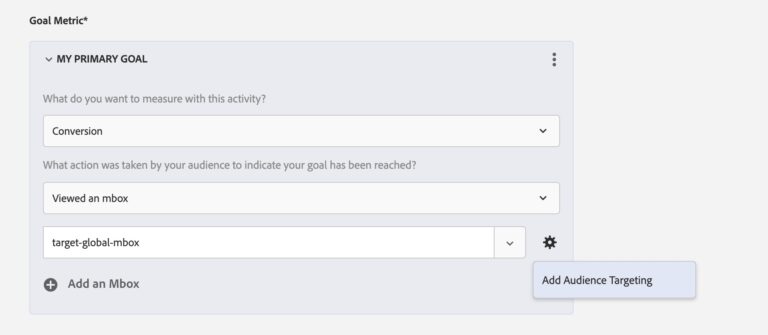
This video provides users of Adobe Target a nice option if you want to use an Adobe Analytics Calculated Metric as a custom goal. Bonus tip: Passing pageName to Adobe Target mboxes is a very helpful utility for many reasons!
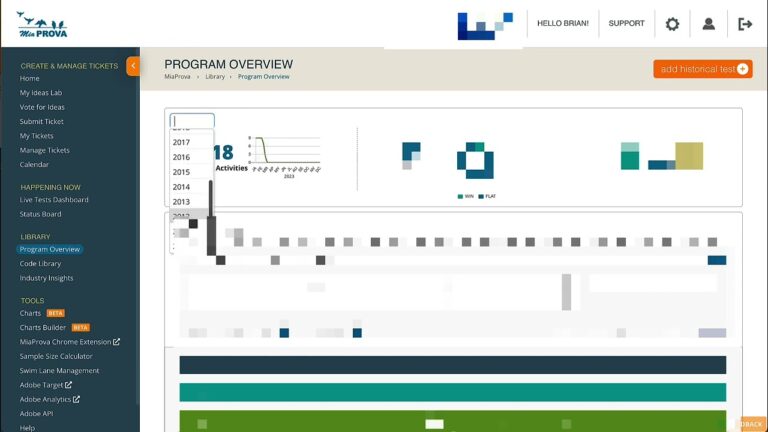
Historically, MiaProva would only provide Adobe Target usage reports from when they started using MiaProva. We have since changed that and now provide reporting on their usage of Adobe Target since they started using it. Many of our customers have been using Target since 2010 or even earlier!
This video shows some of this functionality in action.

Here we address a measure slack question regarding how the mbox3rdPartyId is stiched to Activities and Adobe Target will always show each mbox3rdPartyId their original assignment.

MiaProva is thrilled to announce our custom and highly advanced integration of Adobe Workfront to MiaProva.
MiaProva automates the mapping of data from Adobe Analytics + Adobe Target to Adobe Workfront Projects, thus enabling the ROI of each Project.
Effectively retaining past test learning helps organizations to gain, over time, a comprehensive body of knowledge about the site section that they are optimizing. In addition, it helps to avoid the pitfall of repeatedly testing similar concept by different teams as organization changes over time.
MiaProva to a large extent automates the knowledge library that collects all past test details and learning. Minimum manual effort is needed by testing managers to update the library, and MiaProva provides a powerful text-search engine to allow end users to quickly find relevant tests by keywords.