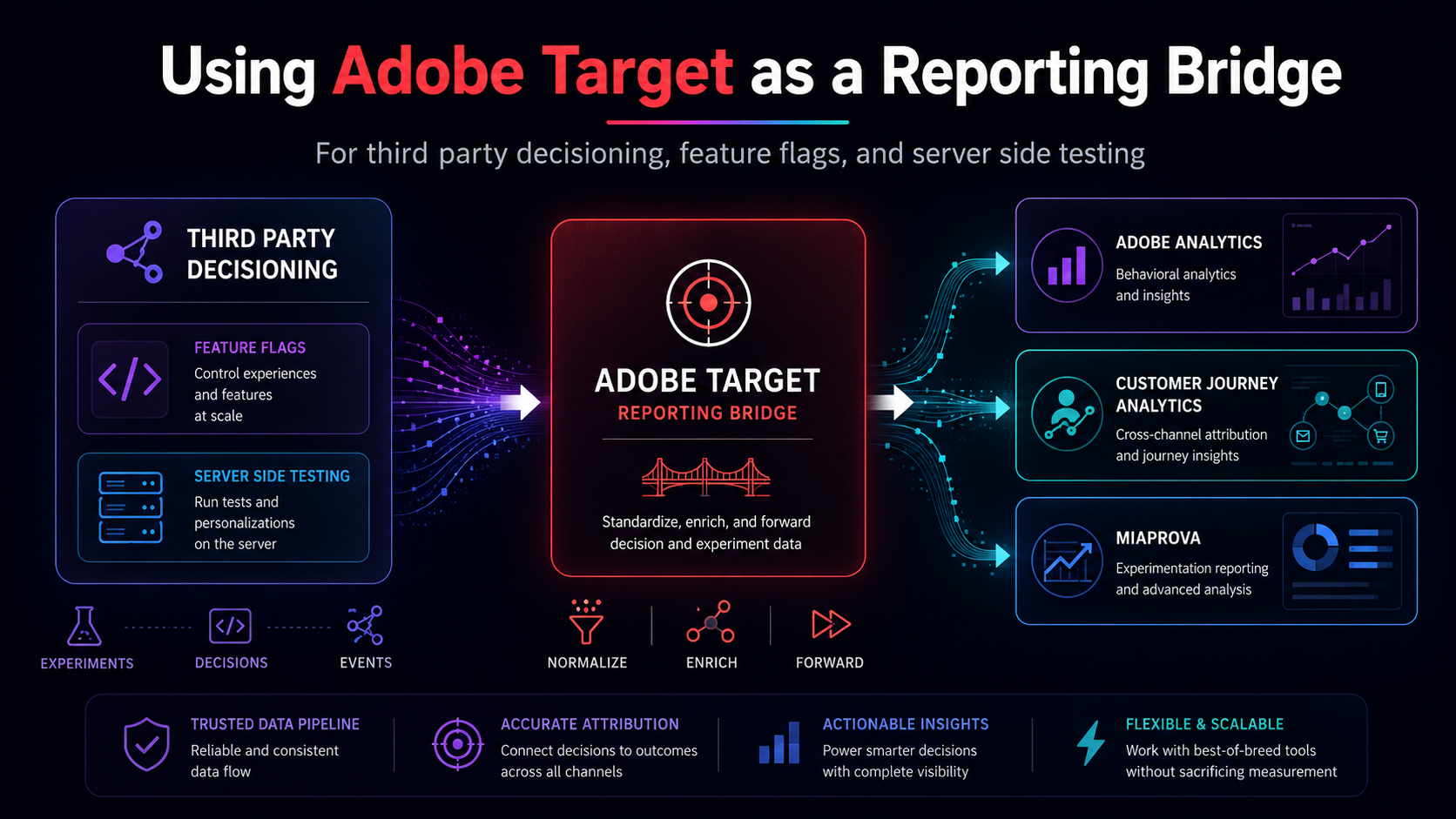
Using Adobe Target as a Reporting Bridge for Third Party Decisioning, Feature Flags, and Server Side Testing
One of the harder parts of experimentation reporting is not the decisioning itself. It is getting the decisioning data into the reporting layer in a way that survives real world complexity.
A MiaProva customer recently ran into this exact issue. They had recently added a third-party content decisioning and feature flagging platform to their stack. On the decisioning side, the tool was working exactly as intended. But its reporting capabilities were leaving the team deeply frustrated. The native dashboards were limited, the segmentation was shallow, and connecting experiment outcomes to actual business results – revenue, conversions, downstream behavior – required manual data exports and painful reconciliation work.
What the team really wanted was to see their experimentation data inside the reporting environment they already trusted most: Adobe Analytics. And because MiaProva is built on top of Adobe Analytics data, getting their third-party test data into Analytics would also bring it into MiaProva’s real-time monitoring and alerting ecosystem.
So they came to us. And the conversation that followed is one we think is worth sharing, because the problem and the solution both apply far beyond this one customer’s situation.
MiaProva Is Not Just for Adobe Target
This is worth pausing on, because it surprises many customers when they first hear it.
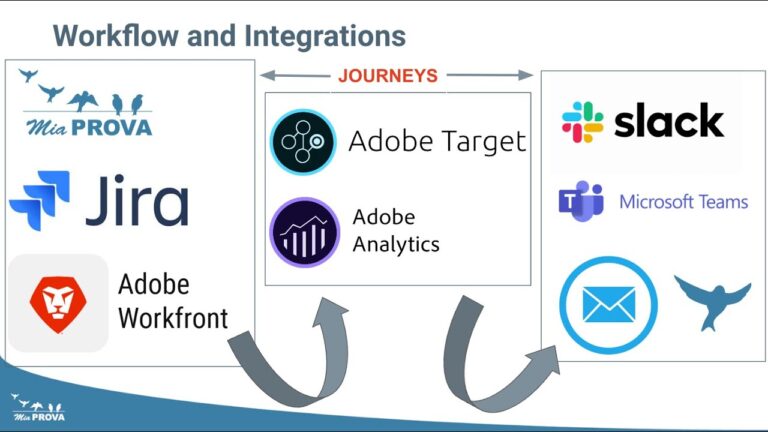
MiaProva is purpose-built for Adobe Target and the Adobe Experience Platform ecosystem. But the MiaProva monitoring and reporting layer is built on top of Adobe Analytics data. If experiment and experience assignment data is flowing into an eVar or a list variable in your report suite, MiaProva can treat that data as a test. It can report on it in real time, alert on traffic anomalies, monitor experience distribution, and surface problems the moment they emerge — exactly the way it does for native Adobe Target activities.
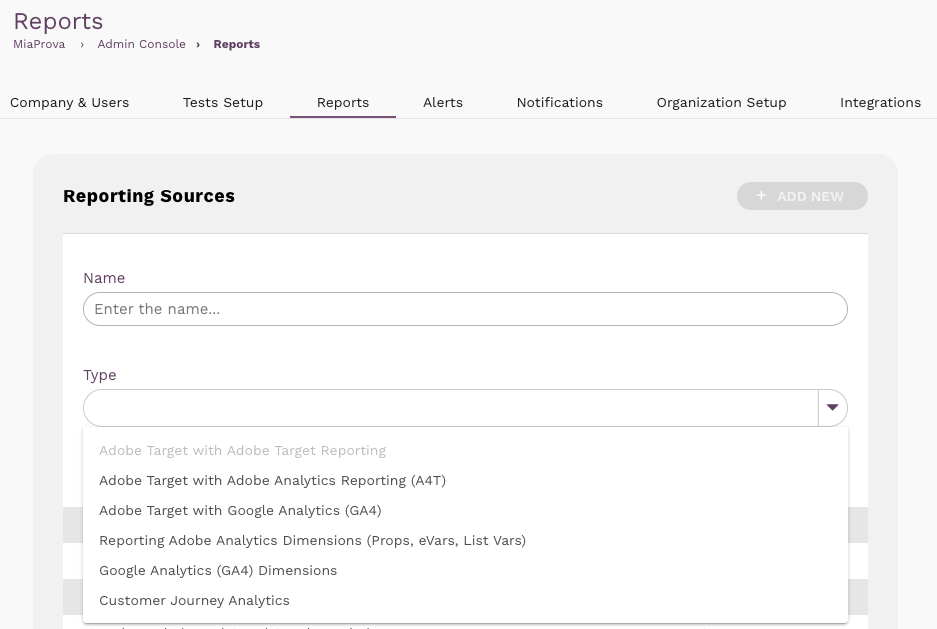
That flexibility is by design. The screenshot below shows MiaProva’s Reporting Sources configuration. Notice that the platform supports not just Adobe Target with A4T or native Target reporting, but also Adobe Analytics Dimensions (Props, eVars, List Vars), Google Analytics (GA4) Dimensions, and Customer Journey Analytics.
Reporting Sources
Any data flowing into an eVar or list variable can be monitored and alerted on inside MiaProva as if it were a native Adobe Target activity.
Choosing the Right Adobe Analytics Variable
Our first recommendation was straightforward: capture the test name and experience name from the third-party tool and pass them into Adobe Analytics. The question was which variable type to use. The answer matters more than most teams realize.
Adobe Analytics Variable Comparison
Interactive- Simple single-string value — easy to implement
- Built-in allocation logic (most recent, first, linear)
- Configurable expiration (visit, event, custom days)
- Works natively with all conversion metrics and pathing
- Easy to report on in Workspace without breakdowns
- Up to 250 eVars available — no scarcity concern
- Holds only one value at a time — last write wins
- Collisions occur when visitor is in multiple tests simultaneously
- Concatenating Test + Experience into one string makes segmentation brittle
- Overwriting on the next hit loses prior test exposure context
- Requires a separate eVar per tool to prevent collisions
- Holds multiple delimited values in one variable
- Each value attributed independently — no collision between concurrent tests
- Configurable allocation and expiration per variable
- Conversion credit flows to each experience individually
- Separator is configurable in Admin Console
- Works natively in Workspace breakdowns, segments, and calculated metrics
- MiaProva can treat each value as a separate test experience
- Only 3 available per report suite — high scarcity
- 255-character value length cap across all delimited values
- Delimiter awareness required — must escape delimiters within values
- Slightly more complex to implement than a plain eVar
- Up to 75 props available — abundant
- List prop variant supports multiple delimited values
- Excellent for pathing and flow analysis (entry/exit)
- No expiration complexity — fires per hit only
- Useful for traffic-level visibility on test exposure
- No conversion metric participation — cannot tie to revenue, orders, leads
- No allocation or expiration logic — hit-scoped only
- Cannot answer “did Experience B drive more purchases?” on its own
- Insufficient for A/B test attribution across a full session or visit
- Decouples data layer from Analytics variable mapping
- Variable mapping can change in Admin Console without re-deploying tags
- Consistent with modern data layer and TMS (Tags) patterns
- Works as a clean feed into eVar, list var, or prop downstream
- Keeps tag logic readable and maintainable
- Not a variable type on its own — resolves to another variable via Processing Rules
- Processing Rules add an admin layer to manage and audit
- 100 Processing Rules limit per report suite
- Debugging is harder — transformation happens server-side post-collection
- Adds rich metadata without consuming additional variables
- Retroactively applies to historical data once uploaded
- Short raw key values reduce pressure on character limits
- Classify test ID with human-readable name, owner, hypothesis, launch date
- Classification Set API supports near-real-time updates
- Not a standalone collection method — requires an eVar or listVar as the base
- SAINT importer has 24 to 72-hour latency for standard uploads
- Operational overhead to keep lookup table current as tests launch
- Requires ongoing maintenance discipline
Our recommendation to this customer was clear: use a list variable. The multi-value support means a visitor participating in three concurrent experiments is tracked correctly in all three. Conversion attribution flows independently to each experience. And because MiaProva reads list variables natively, the data would flow directly into MiaProva monitoring and alerting without any additional configuration.
“The pro of the list variable was obvious — it is the right tool for concurrent testing. The problem was that all three list variables in this customer’s report suite were already committed to other purposes.”
There was no room. And that is when the conversation got more interesting.
The Breakthrough: Using Adobe Target as a Reporting Layer
When a list variable is not available and a plain eVar introduces collision risk, the MiaProva team presented an approach that sidesteps both constraints entirely – and in the process, creates what amounts to a free list variable through the A4T pipeline.
The insight is this: Adobe Target already has a first-class reporting integration with Adobe Analytics called A4T (Analytics for Target). When a Target activity fires, A4T automatically stamps the Analytics hit with activity and experience metadata. That data appears in Analytics Workspace with full conversion attribution – no eVar consumed, no list variable spent.
What if you could route the third-party tool’s assignment data through that same mechanism?
You can. Here is how the approach works.
- The third-party tool makes its decisioning on the server before the page renders. The test name and experience name are known at request time.
- The server writes those values into the client — either via an inline data layer injection in the HTML head, or via a first-party cookie set on the server response.
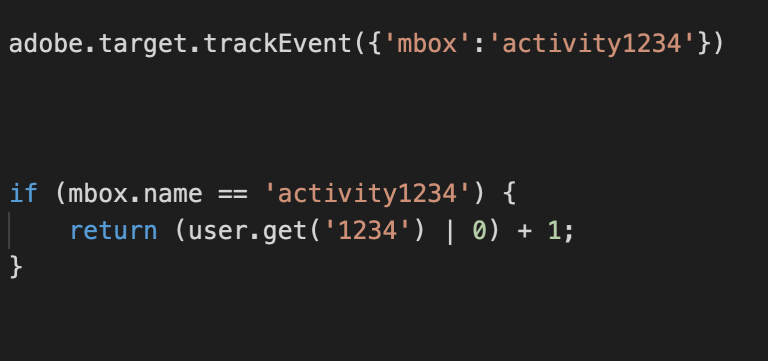
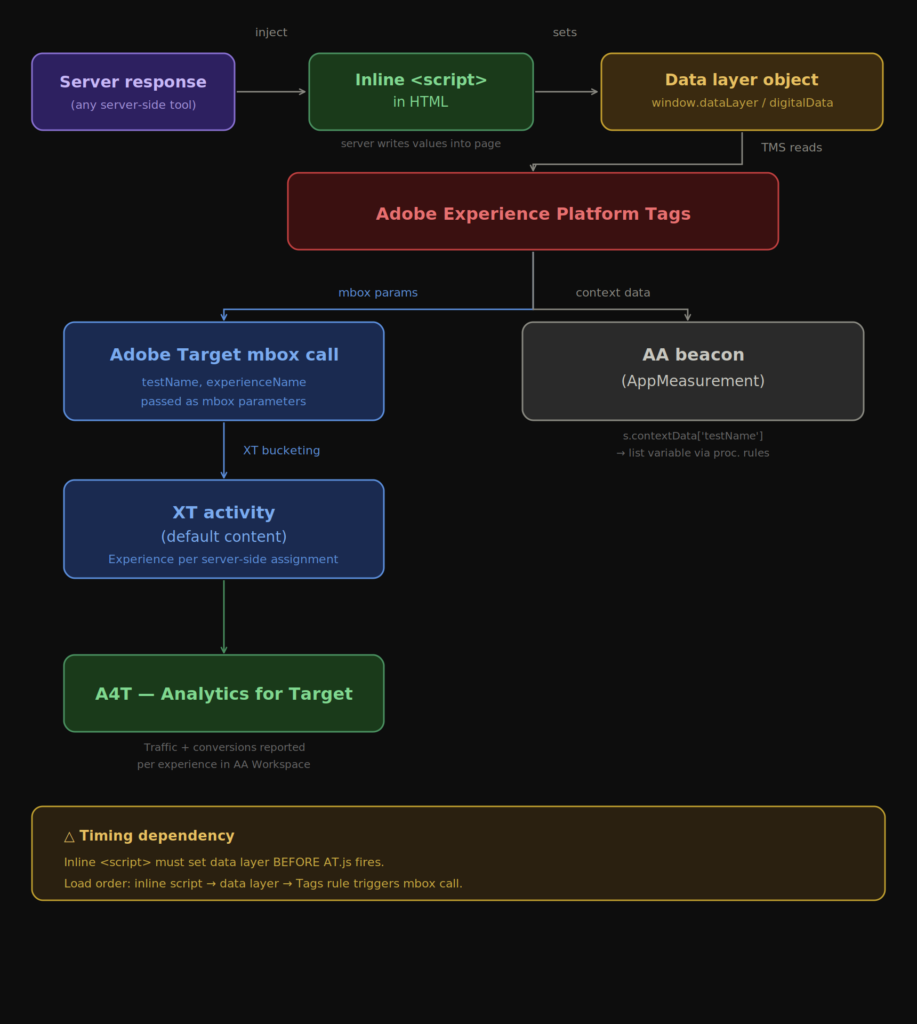
- Adobe Experience Platform Tags reads those values as data elements and passes them as mbox parameters on the client-side Adobe Target request.
- An Experience Targeting (XT) activity in Adobe Target is configured with one experience per variant from the third-party tool. The audience rule for each experience matches on the mbox parameter value.
- Every experience in the activity delivers default content. Target is not rendering anything. It is purely acting as a classification and bucketing layer.
- A4T stitches the Target impression to the Analytics hit. Traffic, conversions, and revenue appear in Analytics Workspace broken out by experience — and inside MiaProva as a live monitored activity.
A4T does not consume an eVar or a list variable. The activity and experience data travels through a dedicated reporting channel built into the Analytics-Target integration. You get the multi-experience attribution of a list variable, with full conversion reporting, without touching your report suite’s variable inventory.
Option 1: Data Layer Injection
Because server-side tools resolve their decisions before the page is assembled, the assignment is known at request time. The server writes it directly into an inline script block in the HTML head — synchronously, before any Adobe library code loads.
<head>
  <!-- Server writes assignment values into the page at render time -->
  <script>
    window.dataLayer = window.dataLayer || {};
    window.dataLayer.experiment = {
      testName: "Homepage Banner Test",
      experienceName: "Variant B"
    };
  </script>

  <!-- Tags embed code loads after data layer is already populated -->
  <script src="//assets.adobedtm.com/launch-EN123.min.js"></script>
</head>
Here’s how the flow works generically (Pega or any server-side tool):
Option 2: First-Party Cookie
When the engineering team does not control the page template but does control the server response headers, a first-party cookie is the right vehicle.
# Server sets these on the HTTP response
Set-Cookie: exp_test_name=Homepage Banner Test; path=/; SameSite=Lax
Set-Cookie: exp_experience_name=Variant B; path=/; SameSite=Lax
Cookies are available synchronously when the page loads. Tags reads them through Cookie-type data elements before the Target mbox fires. The mbox parameters are populated, the XT activity buckets the visitor, and A4T handles the rest – exactly as it does with the data layer approach.
How This Applies to Adobe Target Running Server-Side
The same pattern solves a problem that extends well beyond third-party tools — and it is one of the more persistent pain points in mature Adobe implementations.
Many organizations have deployed Adobe Target in server-side mode. The motivation is almost always performance. Server-side delivery means the experience decision is made and the content is rendered before the page reaches the browser. No flicker, no layout shift, no DOM manipulation visible to the visitor. For high-traffic pages where Core Web Vitals are a competitive concern, server-side Target is the right technical choice.
The problem surfaces when those same organizations try to get A4T reporting working.
Why A4T Breaks When Target Is Server-Side
In a standard client-side deployment, A4T works through SDID stitching. When at.js fires, it generates a Supplemental Data ID, passes it to AppMeasurement, and both the Target impression and the Analytics beacon go out from the browser carrying the same value. Adobe’s backend joins the two records. It works because both calls originate from the same browser session within milliseconds of each other.
When Target runs server-side, the Target impression is recorded on Adobe’s Edge at request time – on the server, before the browser is involved. The Analytics beacon fires later, from the browser. The SDID that would connect them is generated server-side and has to travel to the client so AppMeasurement can include it in the beacon. If that handoff is missing or incorrect, the impression and the hit never join.
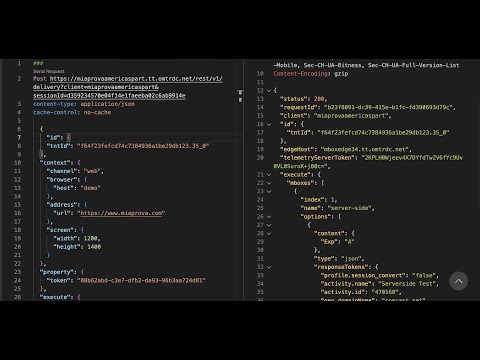
The server-side Target SDK returns an analyticsPayload object in its response. That payload needs to be forwarded from the server response, into the page, and into the Analytics implementation before the beacon fires. Many implementations simply discard it — the developer retrieves the experience content from the SDK response and moves on, unaware that the payload also needs to travel to the client.
Beyond the payload, there is the ECID problem. Target needs to record the impression against the correct visitor identity – the Experience Cloud ID that lives in the browser’s AMCV cookie. On a visitor’s first session, that cookie may not yet be established, or it may not be forwarded in the server request. When the ECID used by the server-side impression does not match the ECID the Analytics beacon uses, the records never join regardless of whether the payload was forwarded correctly.
A4T reports that show dramatically undercounted traffic, activity data that does not match Analytics overall numbers, or first-visit attribution that is simply missing. Most teams assume this is a known limitation of server-side Target rather than a solvable implementation problem.
The Clean Solution: Separate Rendering from Measurement
The pattern described in this post resolves the problem by decoupling the two concerns that server-side Target conflates.
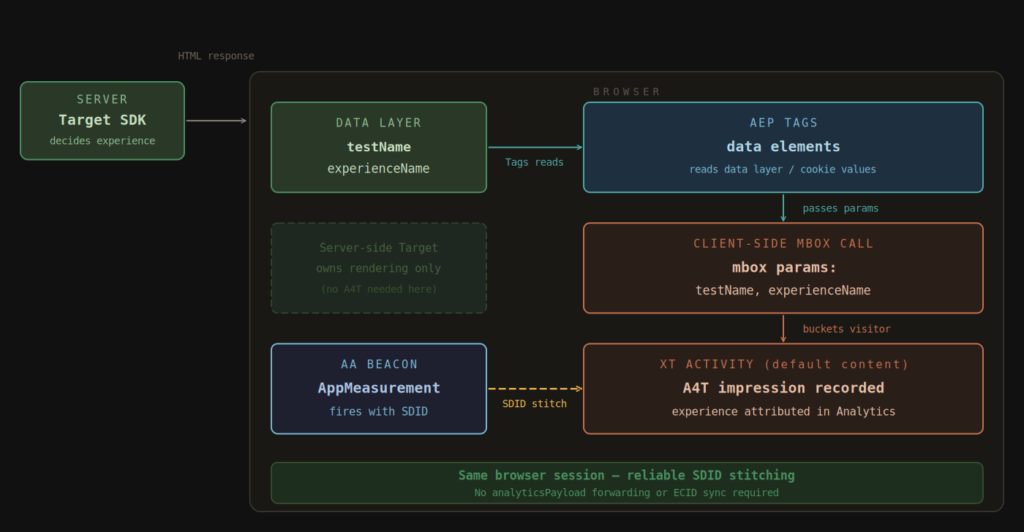
The server-side Target call continues doing exactly what it was deployed to do: fast, flicker-free experience delivery. That call does not need to participate in A4T at all. It owns rendering.
A separate, lightweight client-side Target mbox call handles analytics bucketing. The server-side assignment travels to the client via the data layer or a first-party cookie. The client-side mbox reads the parameters, the XT activity buckets the visitor, and A4T stitches the impression to the Analytics hit using the standard SDID mechanism — in the browser, where it was designed to operate. No analyticsPayload forwarding. No ECID synchronization complexity. The stitching works because both the Target mbox and the Analytics beacon originate from the same browser session.
The result is server-side performance with reliable client-side analytics reporting. The server-side call owns rendering. The client-side call owns measurement. They are independent of each other and can be maintained, debugged, and optimized separately.
Extending This to Customer Journey Analytics
When Customer Journey Analytics is in the picture, this approach becomes the foundation for something considerably more powerful than what any third-party tool’s native reporting can offer.
CJA ingests data from Adobe Analytics through the Analytics Source Connector, streaming report suite data into Adobe Experience Platform as event datasets. When experiment and experience data flows into Analytics through this pattern — via the A4T pipeline from an XT proxy activity – that data arrives in CJA as part of the same event stream. MiaProva surfaces it alongside all other test data.
CJA’s Experimentation panel can treat any dimension as an experiment dimension. With A4T flowing correctly, it runs full statistical analysis on experience data – lift, confidence intervals, and conversion attribution across the complete customer journey, not just within a single session.
Two things make this particularly meaningful for organizations using server-side decisioning tools.
First, CJA gives teams far more flexibility in how experiment data is interpreted after collection. Adobe Analytics can absolutely support visitor based attribution through persisted variables and visitor level analysis, but those rules are often tied to how the report suite, variables, and classifications were configured up front. CJA changes that model.
Because experiment data lands in Customer Journey Analytics as part of an event dataset, teams can use data views to control how that data is exposed, attributed, and analyzed. The same underlying experiment exposure data can be evaluated through different attribution models, lookback windows, persistence settings, and reporting definitions without requiring a new implementation or a change to the original Adobe Analytics variable design.
That matters for server side decisioning because these programs often evolve quickly. A team may start by asking which experience drove an immediate conversion, then later ask which experience influenced qualified leads, repeat purchases, retention, or downstream customer value. In CJA, those questions do not require the organization to go back and redesign the tracking approach. The data can be reinterpreted in a way that better matches the business question.
Second, CJA can join data across datasets that do not exist in Adobe Analytics at all. Experiment data from this pattern can be analyzed alongside CRM outcomes, call center data, and offline conversion events. Teams can ask whether visitors exposed to a particular experience had higher lifetime value, lower support burden, and better retention over the following quarter. That analysis is not possible in any native experimentation reporting tool. It is possible in CJA when the experimentation data is flowing correctly through this pipeline.
| Scenario | Approach | List Var Used | A4T Stitching Reliable | MiaProva Ready |
|---|---|---|---|---|
| Third-party tool, list var available | Data layer or cookie → list variable via Processing Rules | Yes (consumed) | N/A | ✓ |
| Third-party tool, no list var available | Data layer or cookie → mbox params → XT activity → A4T | No (free) | ✓ Client-side stitching | ✓ |
| Adobe Target server-side, Analytics client-side | Server-side call owns rendering. Companion client-side mbox call owns A4T. | No (free) | ✓ No SDID forwarding needed | ✓ |
| Adobe Target server-side, A4T via SDK only | analyticsPayload forwarded to client + ECID sync | No (free) | Fragile — ECID and payload handoff required | Depends on implementation quality |
What began as a customer’s frustration with a third-party tool’s reporting limitations became an opportunity to show what is possible when experimentation data is connected to a mature Adobe Analytics and MiaProva implementation. The XT proxy activity pattern creates effectively unlimited reporting slots for server-side experimentation data — without consuming a list variable, without fragile SDID handoffs, and with full real-time monitoring and alerting inside MiaProva.
If your organization is running experimentation outside of Adobe Target and struggling to get that data into a reporting environment you trust, this is the conversation to have.